How it works

How an event runs, from the brief to the last award

One example from start to finish: an 88-guest year-end at a venue, for a client company. A conference, a team build, a product launch or a sales kick-off runs the same way. Every screen below is from that year-end.

Weeks before

Before the event

You set the event up in the admin with the client’s brand, their programme and the games that fit it.

  1. 1

    Add the event for your client

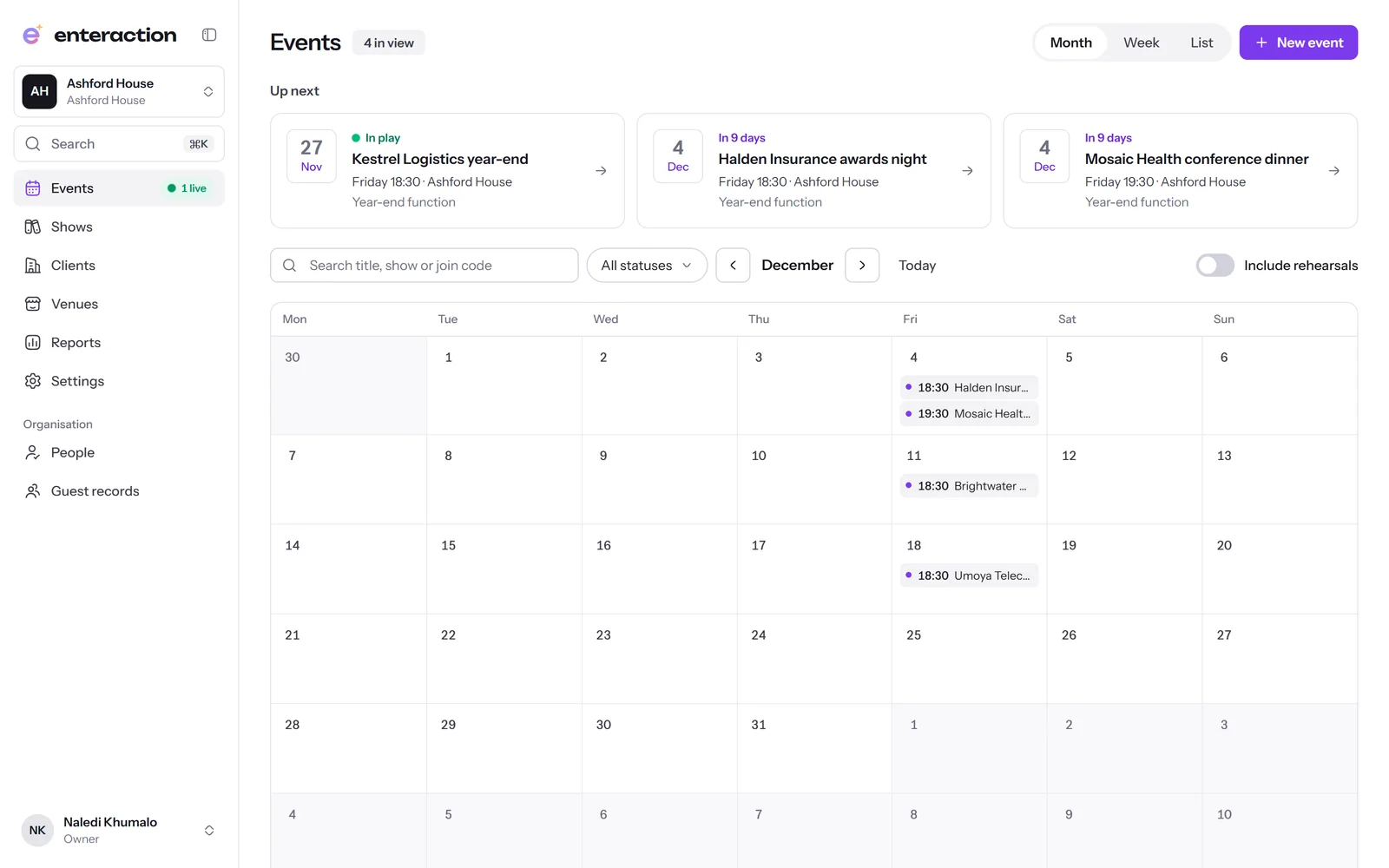
    Every event is on your calendar, for a client, at one of your venues, on a date. Add the number of guests and tables, the start time and how many minutes the client has given you for games.

    The admin’s events calendar, with the venue’s corporate events for the coming weeks.
    The events calendar at Ashford House.
  2. 2

    Save the client’s brand

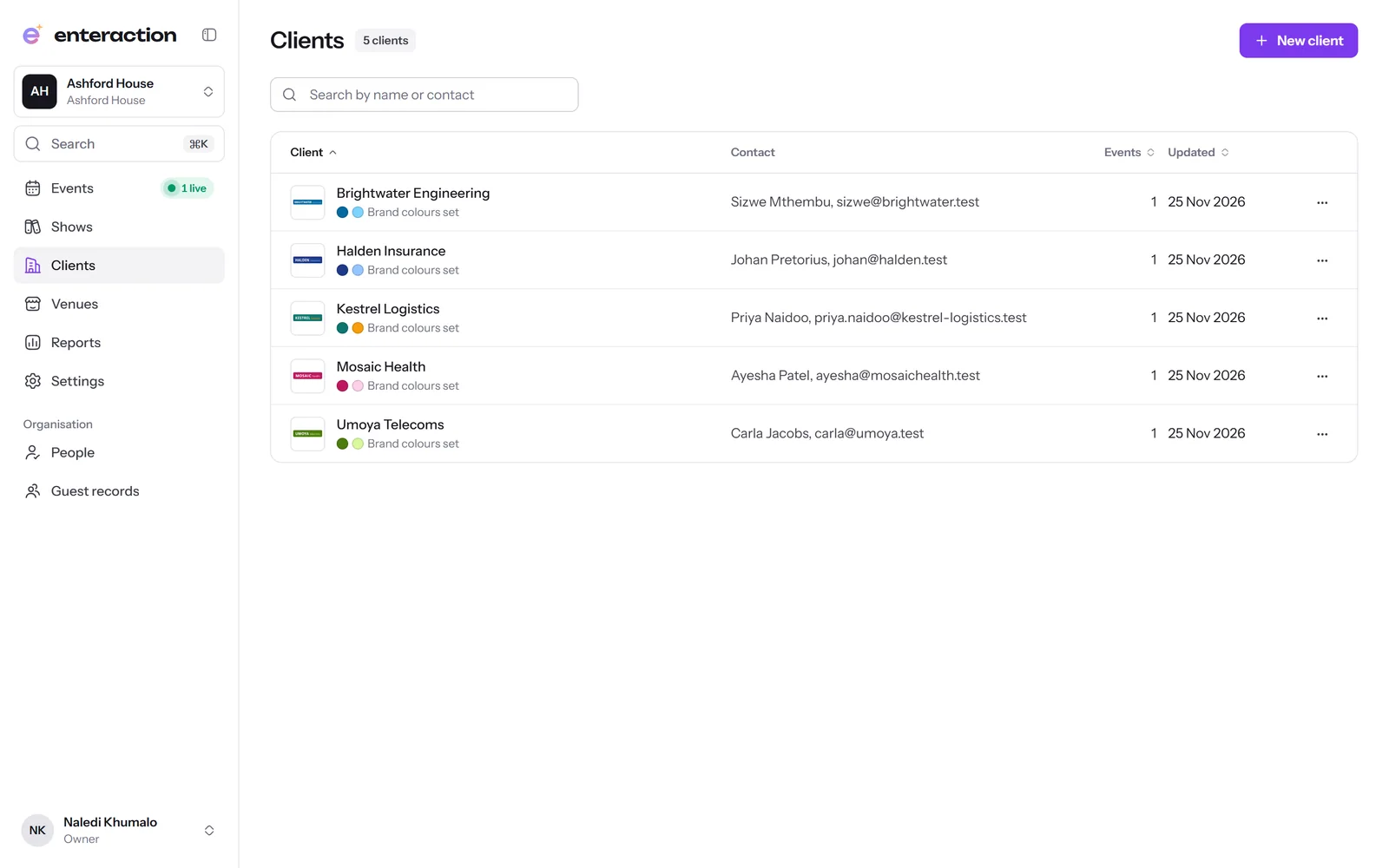
    A client has a name, a logo, two colours and a contact. Their brand goes on the big screen, the phones, the table cards and the certificates, and you reuse it for their next event.

    The admin’s list of clients, each with its logo and colours.
    Clients in the admin, each with its logo and colours.
  3. 3

    Build the running order

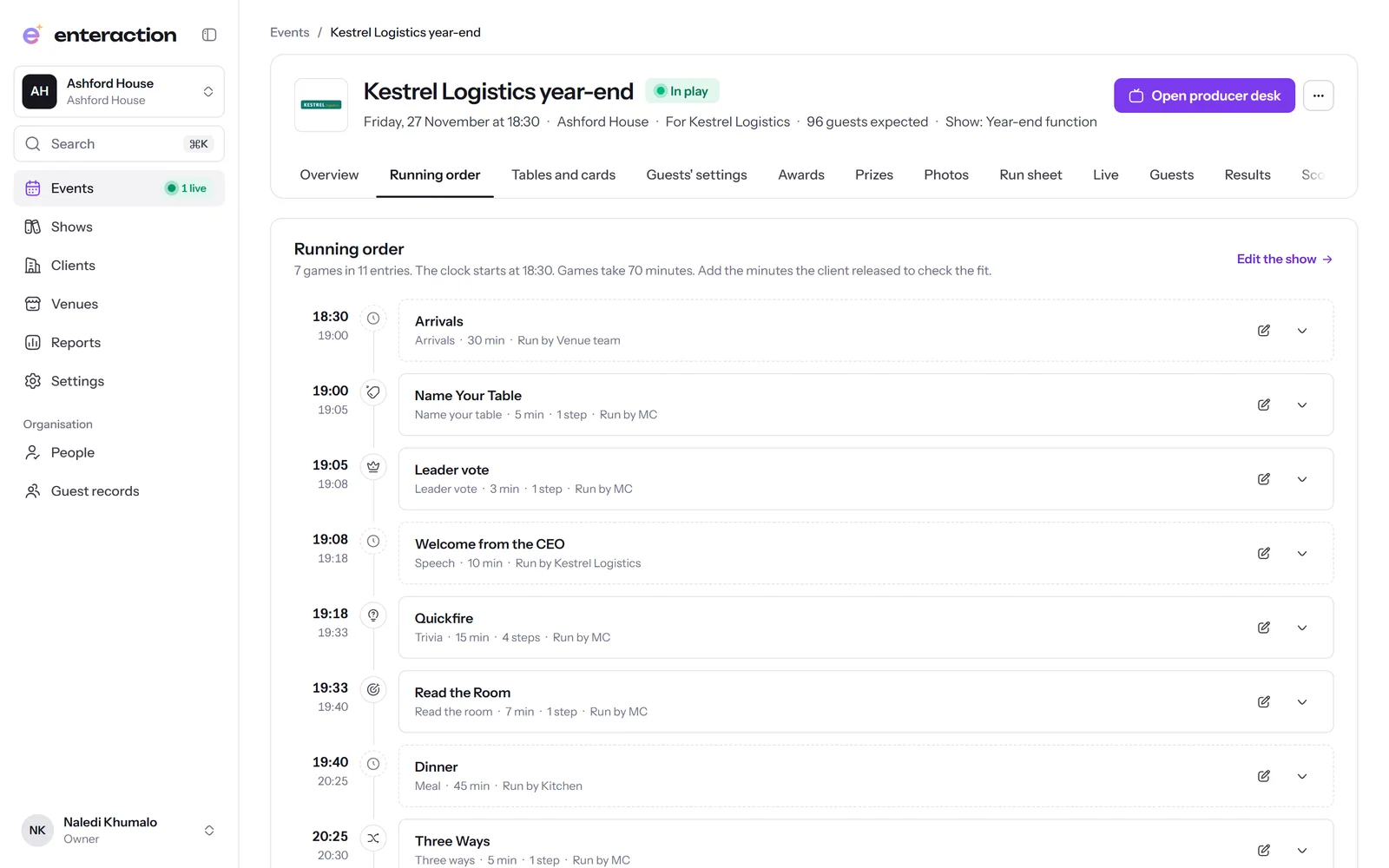
    Pick a show, a running order of games, sessions, speeches, meals and awards, and adjust it for this client. Each item has its minutes, who runs it and a fallback if the phones can’t be used. Keep a game or two in reserve to swap in on the day.

    An event’s running order in the admin: games, dinner and speeches on the clock.
    The running order for Kestrel Logistics.
  4. 4

    Set the tone and the details

    Choose the tone with the client: clean, cheeky or bold. Add the departments for the MC’s introductions, the list of table names, the Wi-Fi details, and the awards and prizes you’ll give.

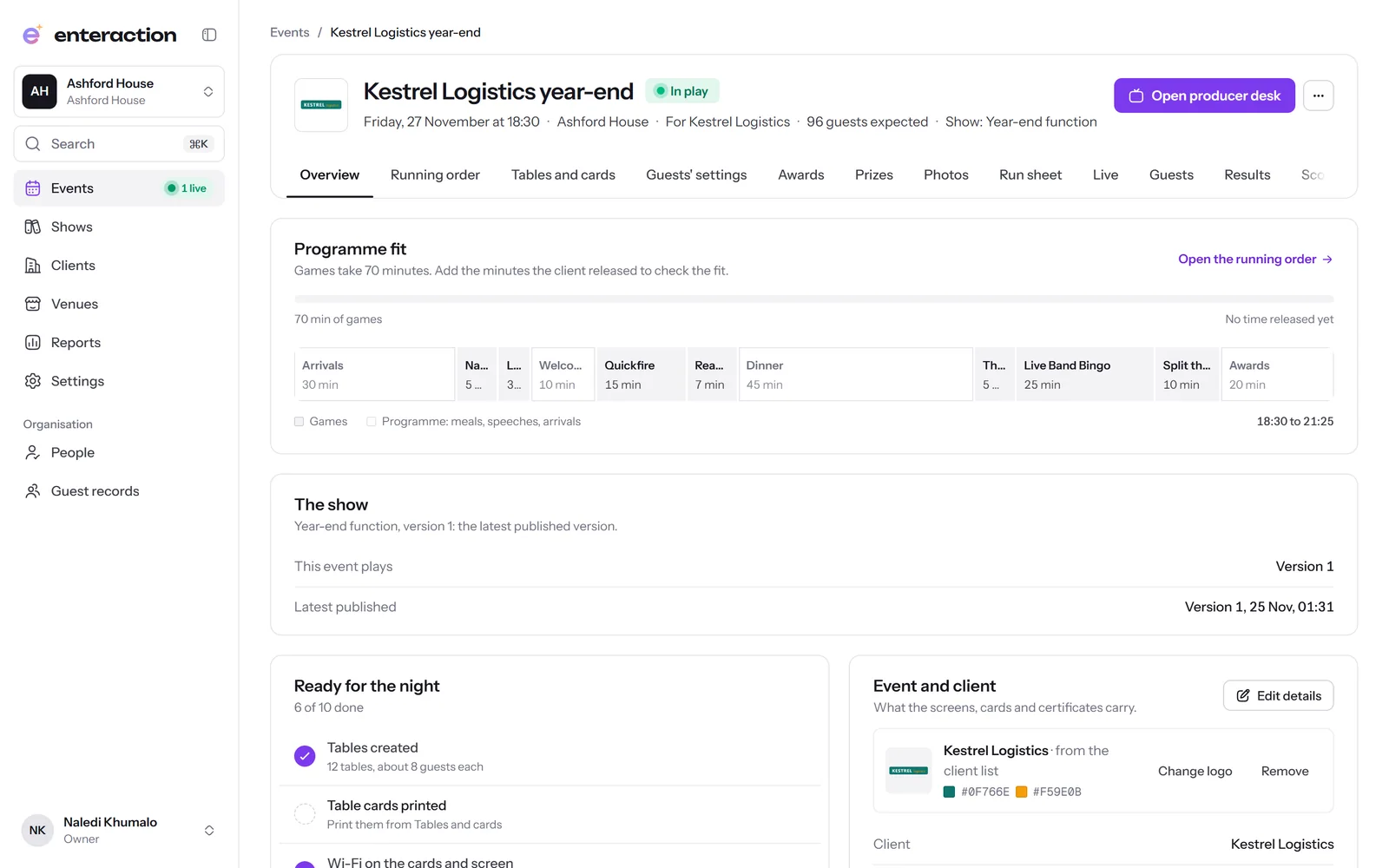
    An event in the admin: the client, the date, the guests and what’s ready for the day.
    The event’s overview, with what’s ready and what isn’t.

Coming A link for the client’s organiser to send their logo, company questions and quotes, and sign off the content without an account.

On the day

Cards on the tables, the screen paired

  1. 1

    Print the table cards

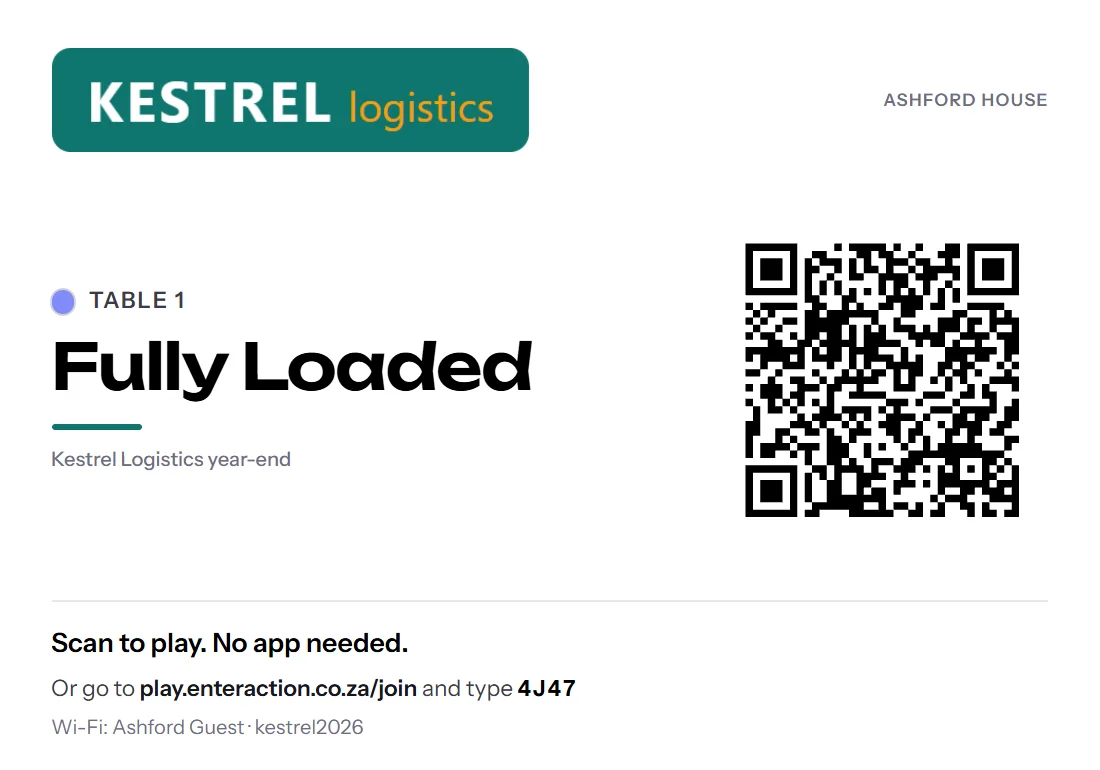
    One card per table, with the client’s logo, the table’s QR code and its four-character code, and the Wi-Fi details. Scanning the card puts a guest straight at that table.

    A printed table card with the client’s logo, the table, its QR code and its four-character code.
    A table card for Kestrel Logistics.
  2. 2

    Pair the big screen and rehearse

    Open play.enteraction.co.za/display on the projector or TV and pair it with the event from the desk. Duplicate the event as a rehearsal to run through it on the real screens. Rehearsals don’t count as events.

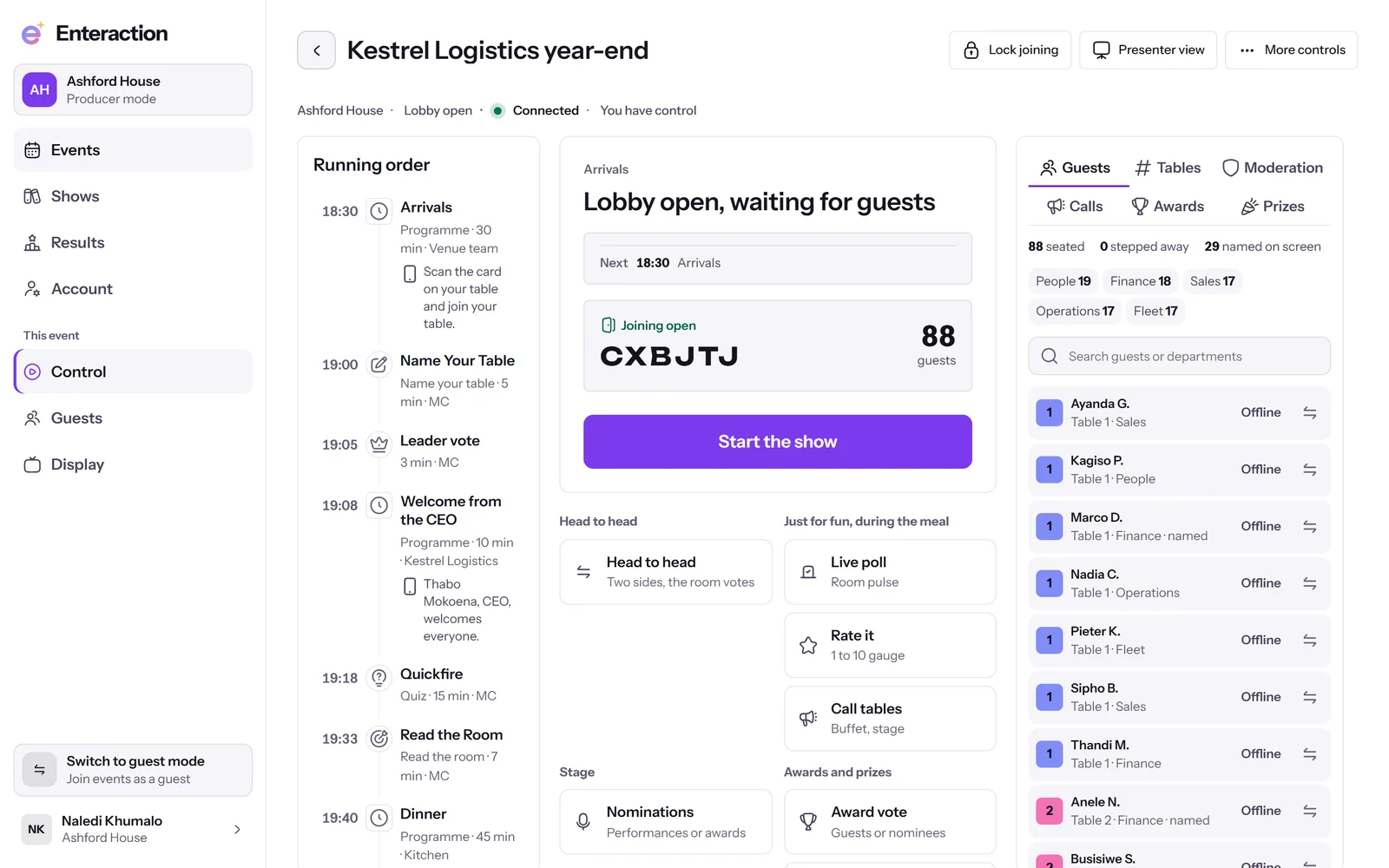
    The producer’s desk on a laptop as guests arrive: the running order, the join code, the activities and the guest list.
    The producer’s desk with the lobby open and the big screen online.

From 18:30

The year-end, in running order

The producer works down the running order. Between games they can open a poll, run a draw, put the scores or a holding slide on the big screen, or call tables.

  1. 18:30Arrivals

    Guests sit down and scan their card

    The big screen shows every table filling up, the join code and the Wi-Fi details. Guests scan the card on their table, type a name or pick a themed nickname, and choose their department if the event lists them.

    A guest’s table is fixed once they join. Only the producer can move someone.

    Run by the venue team
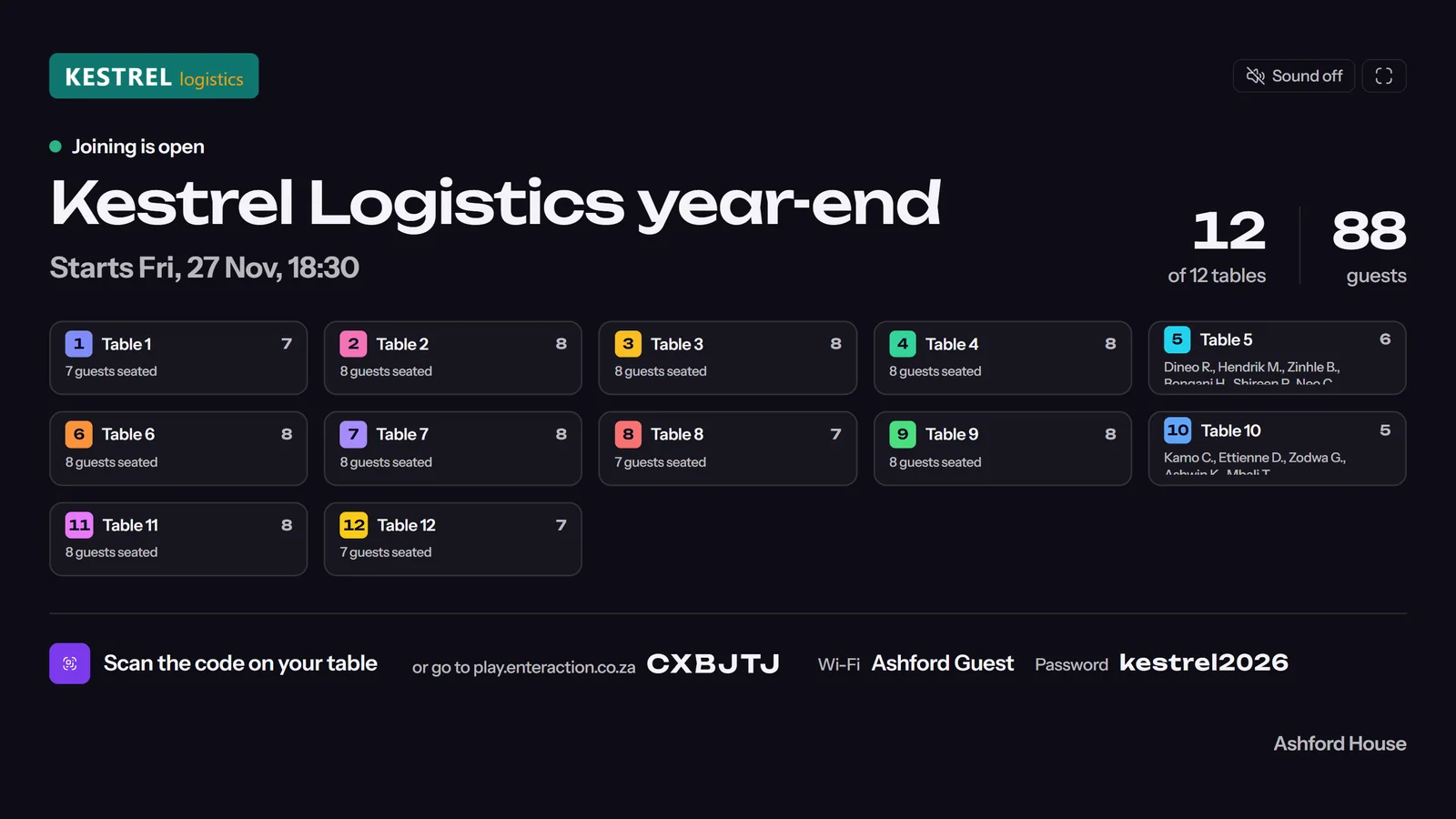
    The big screen as guests arrive: Kestrel Logistics year-end, twelve tables filling up, the join code and the Wi-Fi details.
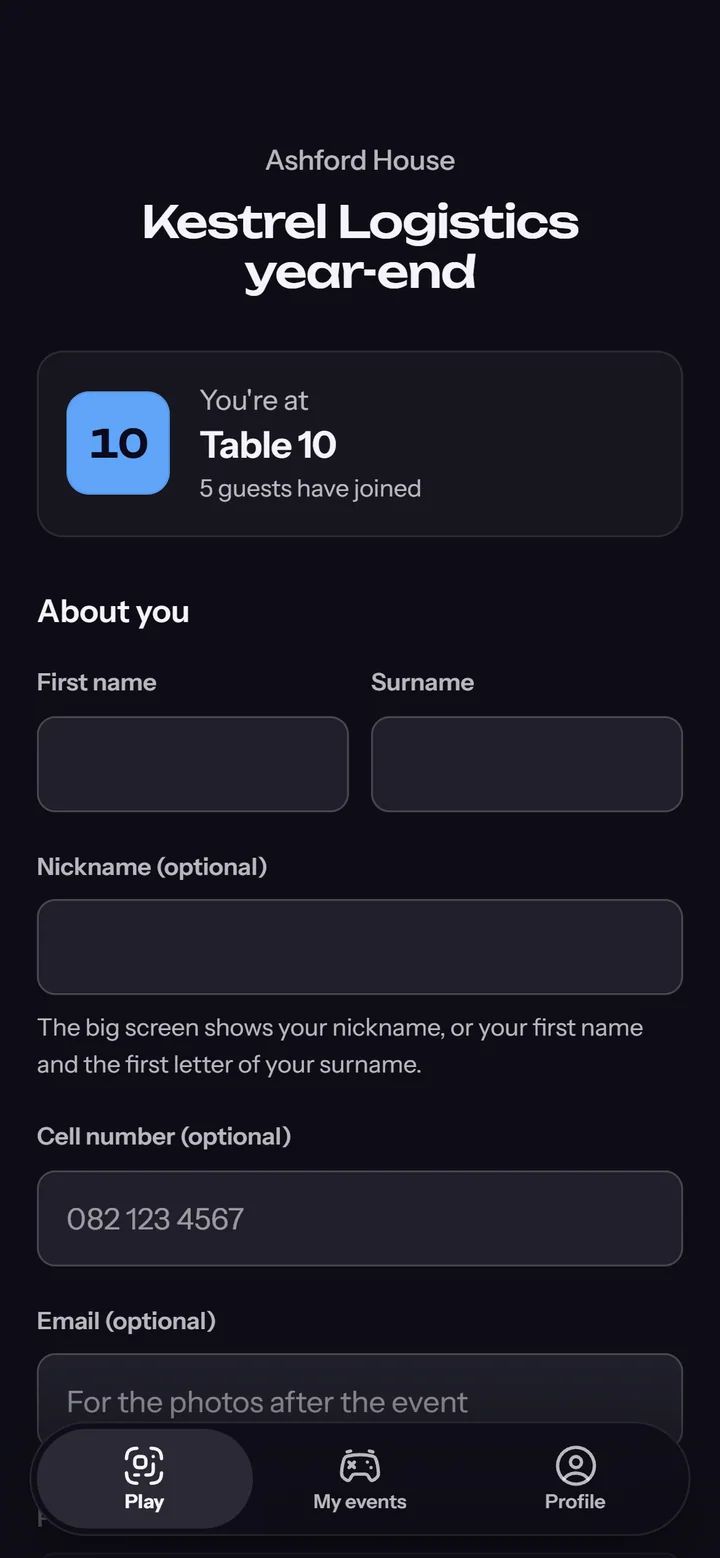
    A guest’s phone after scanning a table card: the table they’re at and the details the event asks for.
    The big screen as guests arrive, and a guest joining table 10.
  2. 19:00Name Your Table

    Tables name themselves and elect a leader

    Each table agrees on a name from the event’s list, then elects a leader. The leader decides for the table on any step that says so, like the table’s Three Ways answer.

    Run by the MC

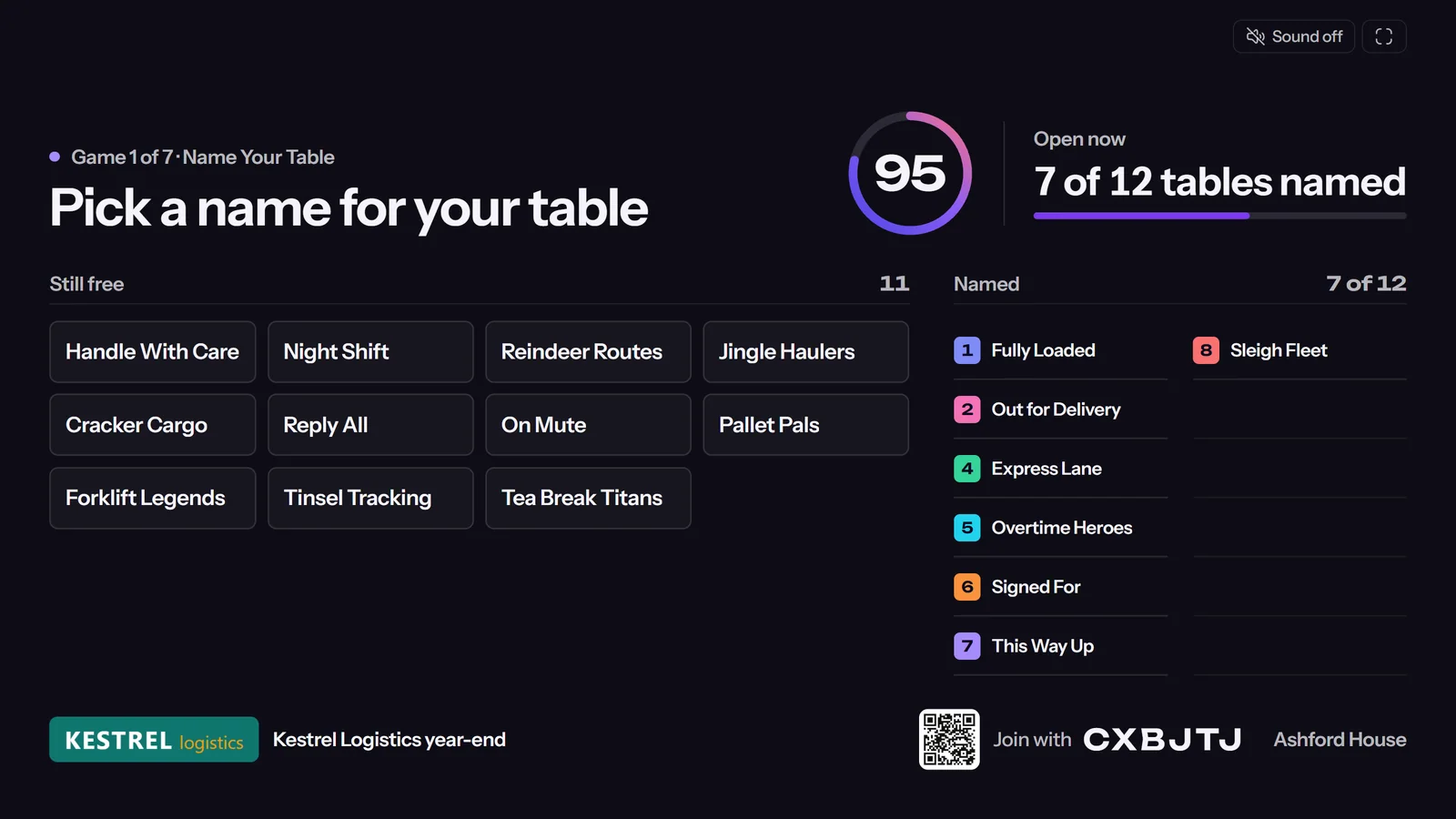
    The big screen during Name Your Table: the list of table names, with the names tables have already claimed marked in their colours.
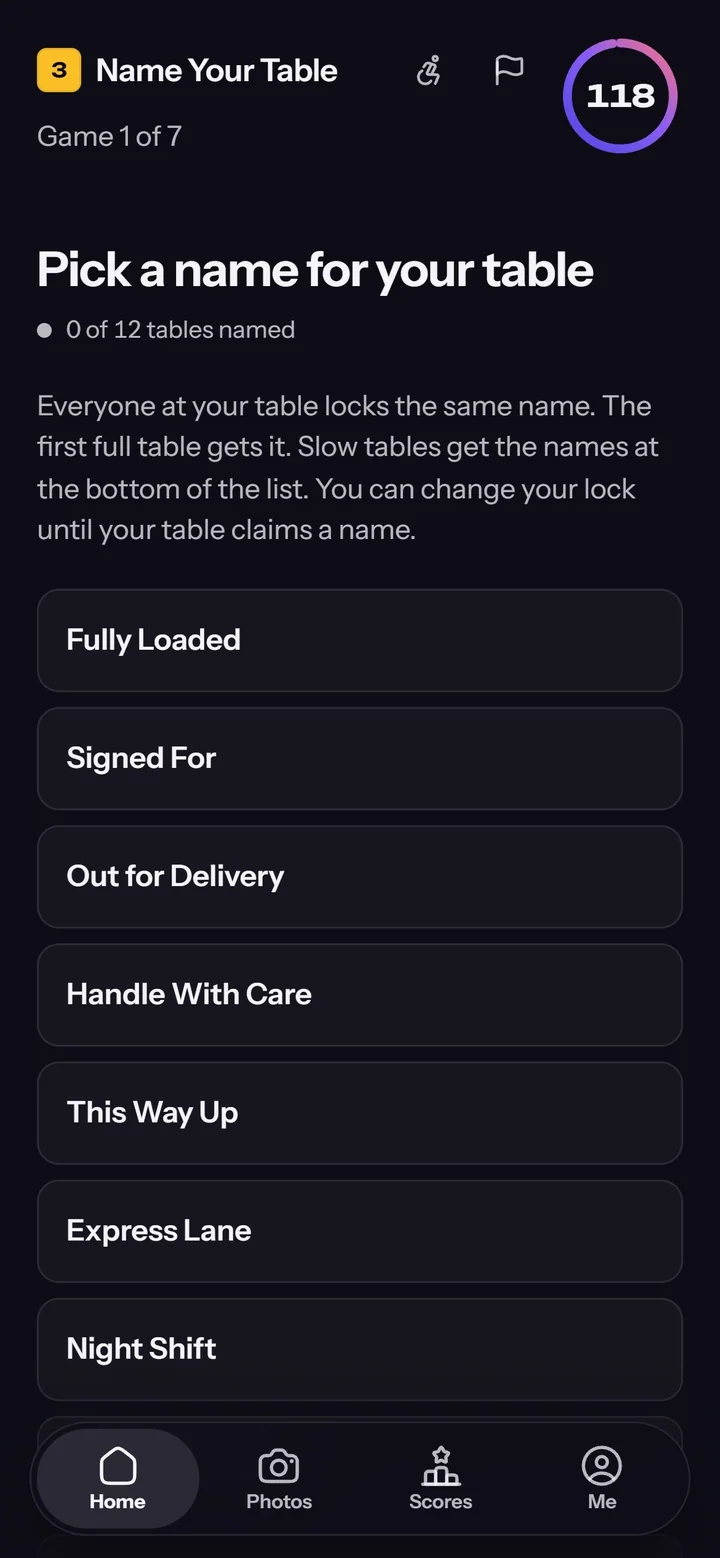
    A guest’s phone during Name Your Table, with the names still free to pick.
    Tables claiming names on the big screen, and the names still free on a phone.
  3. 19:08Welcome from the CEO

    Speeches and dinner are in the running order too

    Items that aren’t games, like the CEO’s welcome, dinner or the band, sit in the running order with their minutes and who runs them. The big screen and the phones show what’s on now and what’s next.

    Run by the client

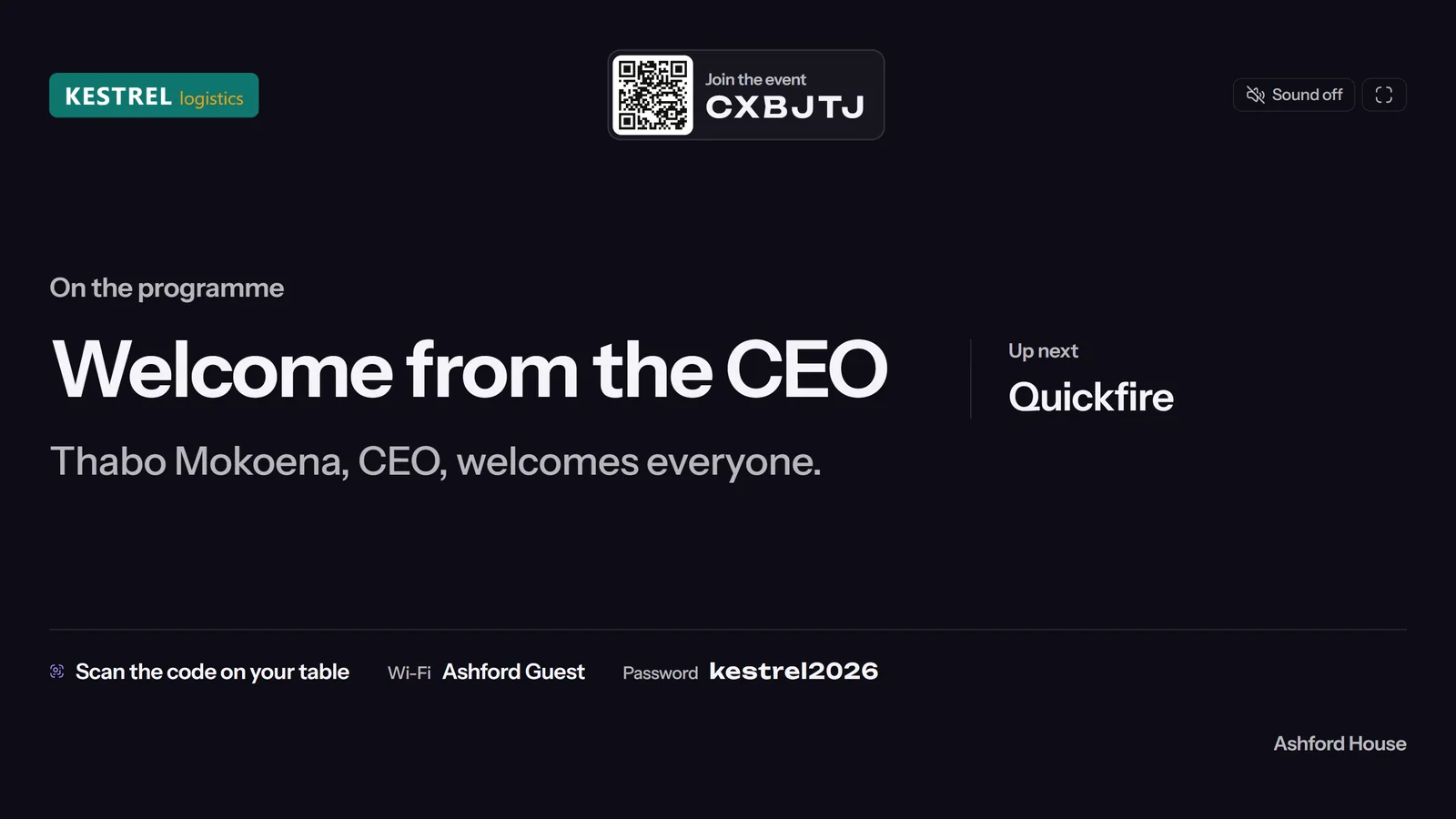
    The big screen between games: the welcome from the CEO on the programme, with Quickfire up next.
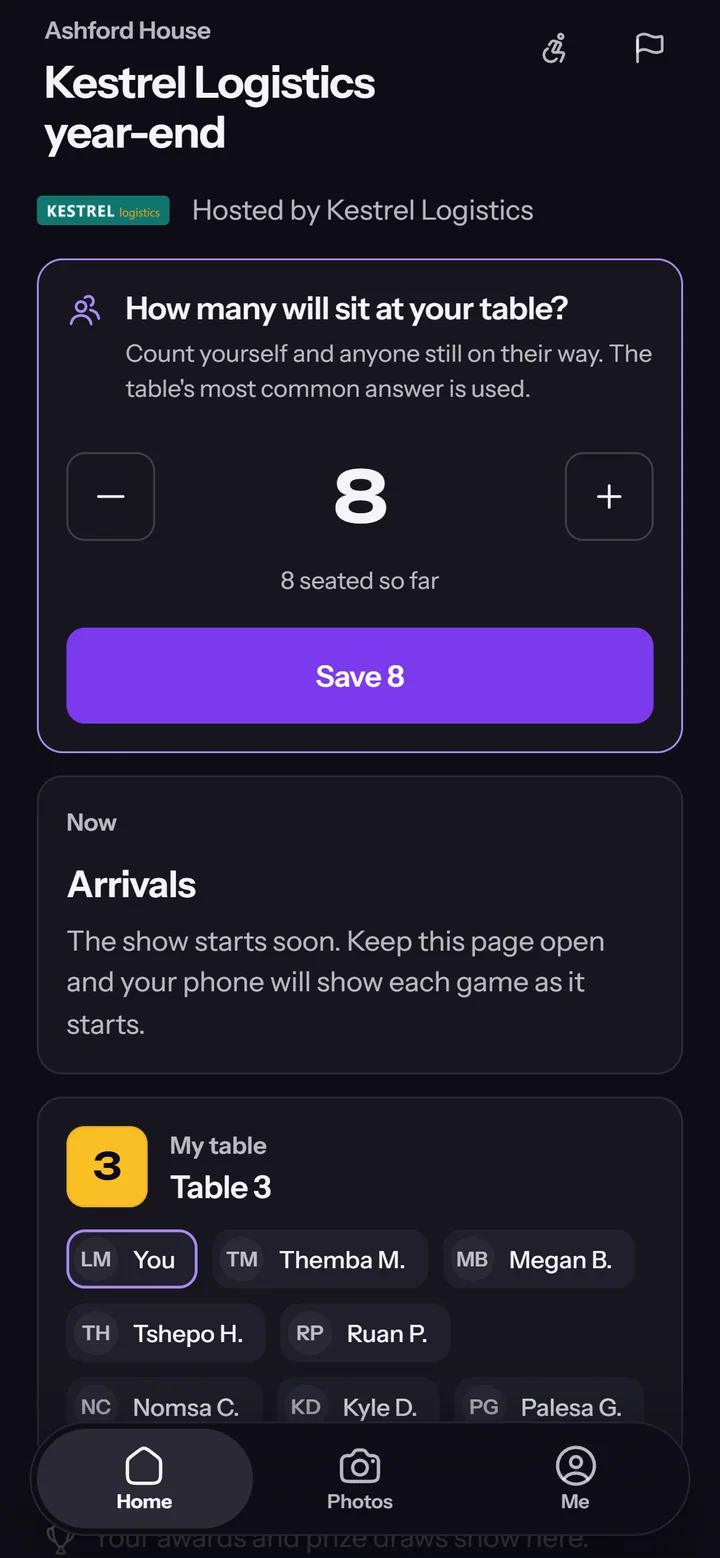
    A guest’s phone before the show: the event, a headcount for their table and the people sitting at it.
    The big screen during the CEO’s welcome, and a guest’s phone between games.
  4. 19:18Quickfire

    The producer drives, the MC presents

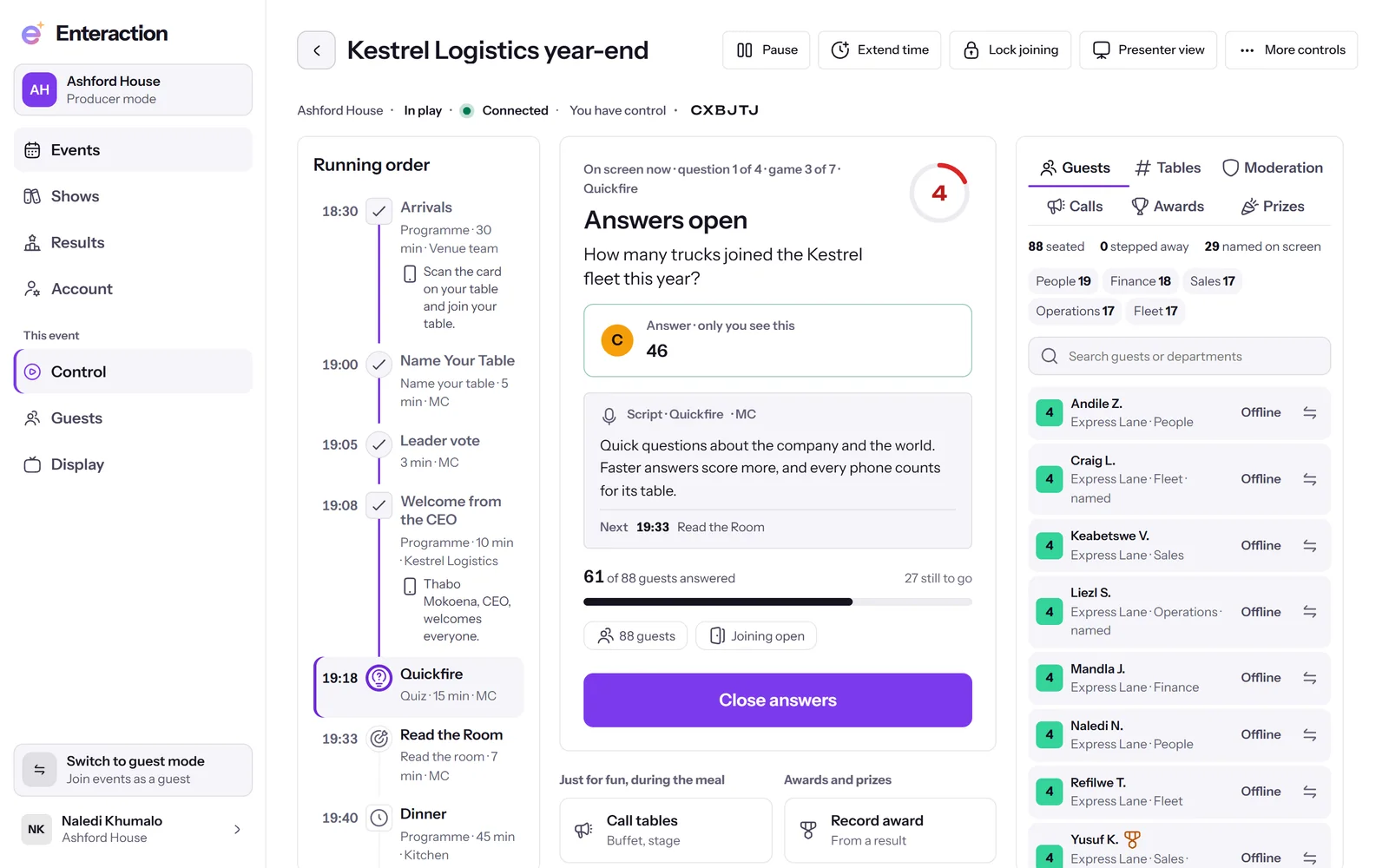
    The producer’s desk shows the running order, what’s on the big screen, the answer and how many guests have answered, with one button for the next step.

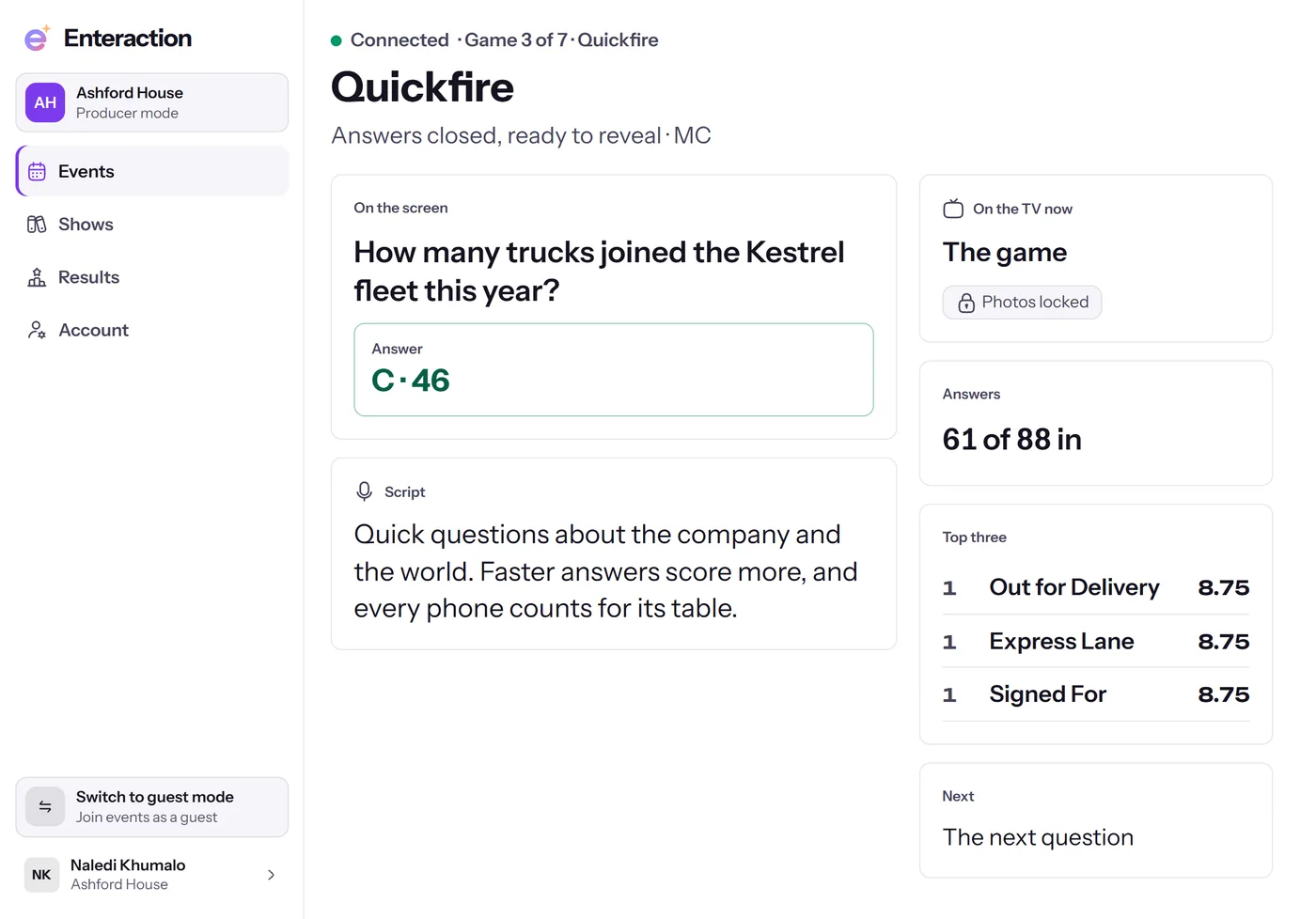
    The MC’s presenter view shows the question, the answer, the script and what comes next. The producer chooses what the MC can cue. With protected handover on, control passes from one person to another only by request and approval.

    Run by the producer and the MC

    The producer’s desk on a laptop during a question: what’s on screen, the answer, the MC’s script and how many have answered.
    The MC’s presenter view on a tablet: the question on screen, the answer, the script and what’s next.
    The producer’s desk and the MC’s presenter view during a question about the company.
  5. 19:33Read the Room

    Every phone plays for its owner and their table

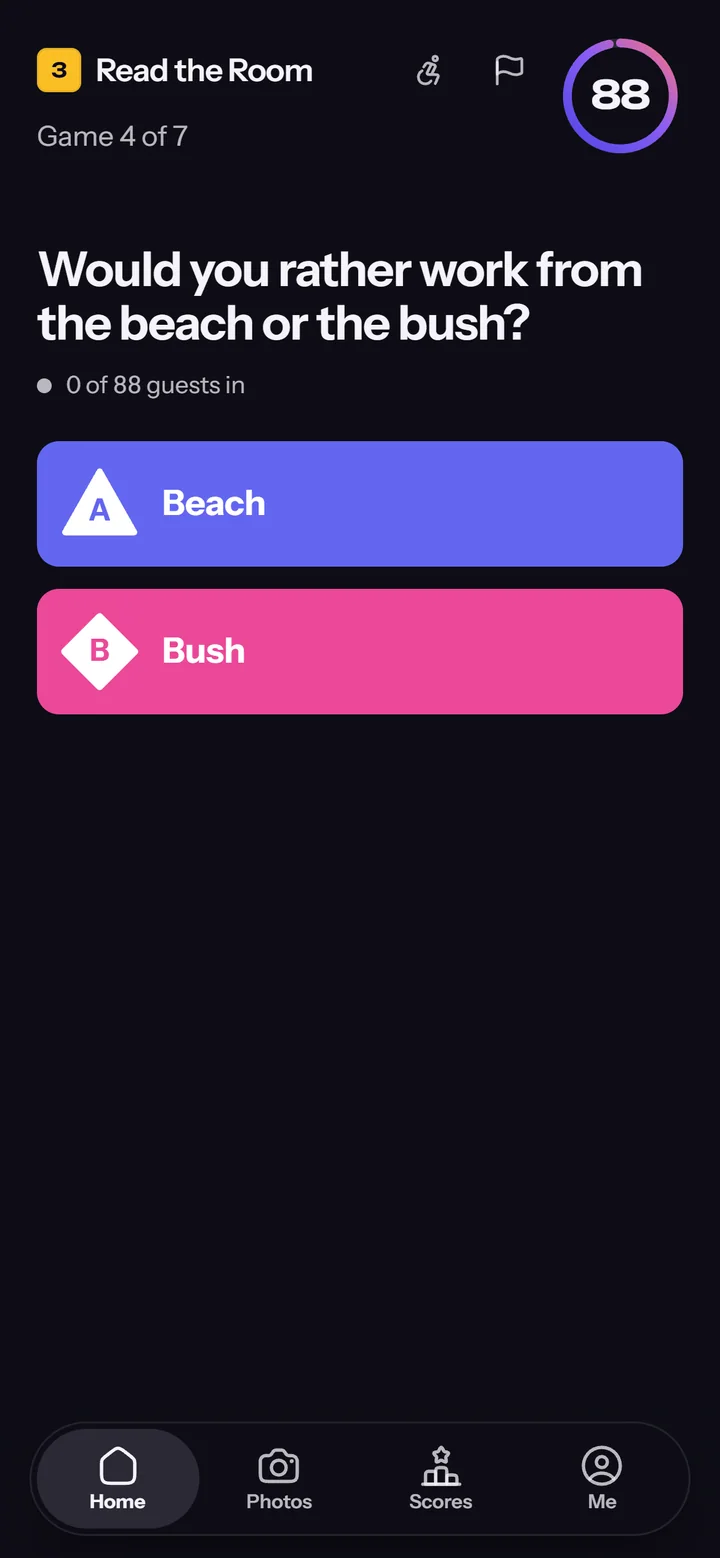
    Guests answer, then guess how much of the room agreed with them. Every guest scores for themselves, and their points count for their table, shared over the table’s size so a table of six can beat a table of eight.

    Run by the MC

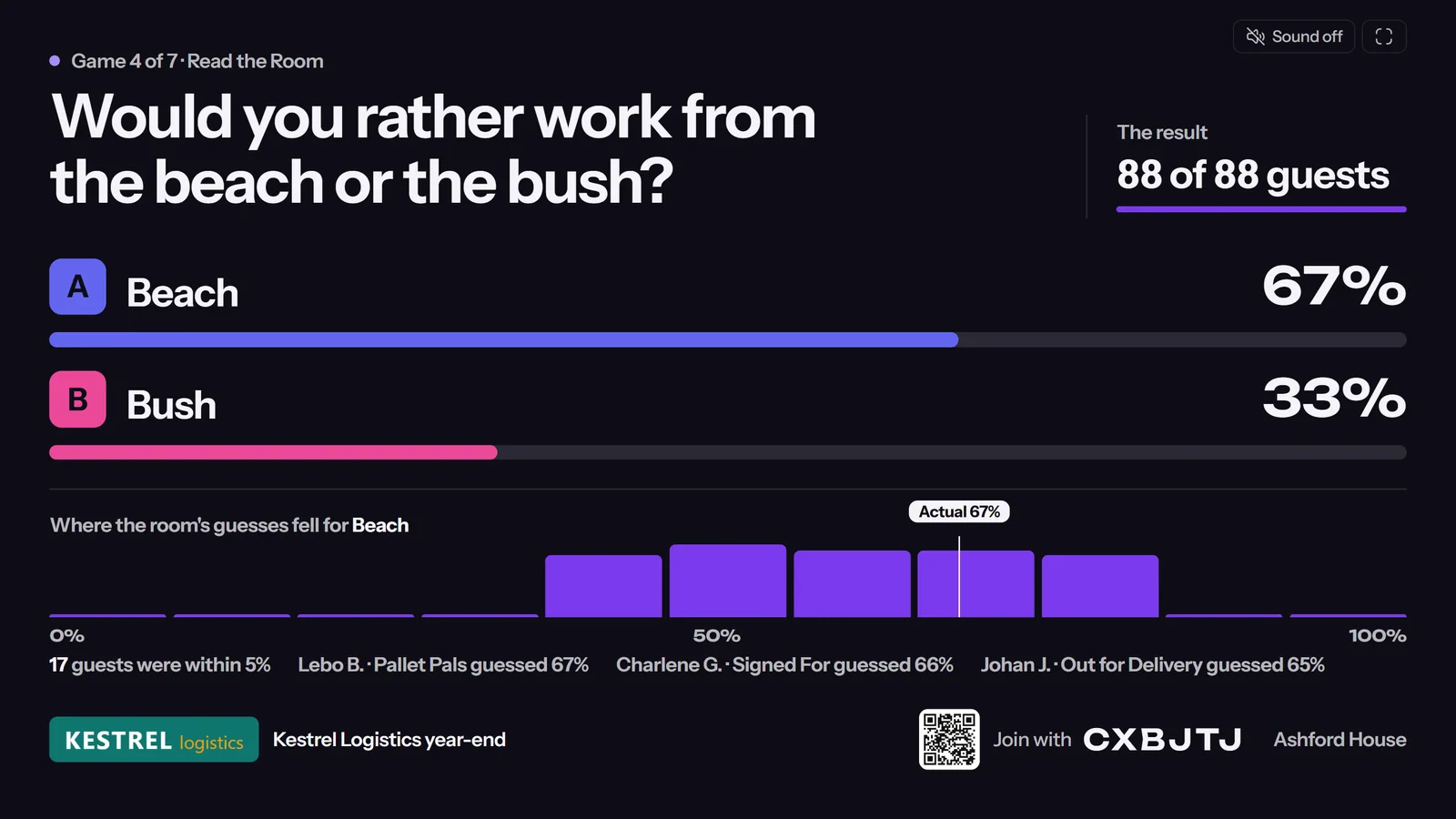
    The big screen after Read the Room: how the room split between beach and bush, and how close the guesses were.
    A guest’s phone during Read the Room: pick an answer, then guess how much of the room agrees.
    How the room split, and a guest choosing an answer and a guess.
  6. 19:40Dinner

    Tables are called to the buffet

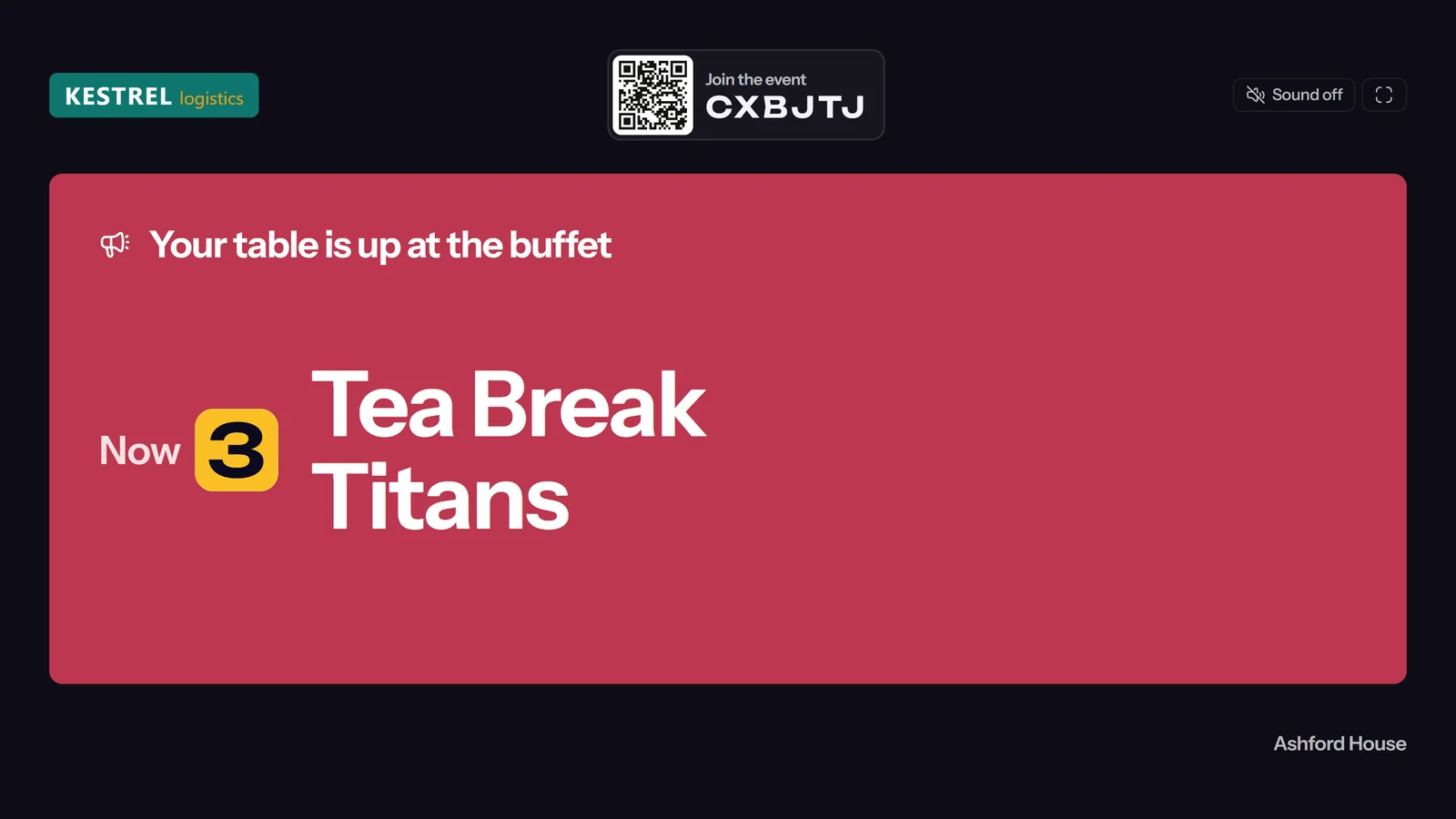
    The producer calls tables in board order, at random or by hand. A called table’s phones change colour, and the big screen shows who’s up and who’s next.

    Run by the producer

    The big screen calling table 3, Tea Break Titans, to the buffet.
    A guest’s phone when their table is called to the buffet.
    Table 3 called to the buffet, on the big screen and on a guest’s phone at that table.
  7. 20:25Three Ways

    Votes about the office, shown as counts

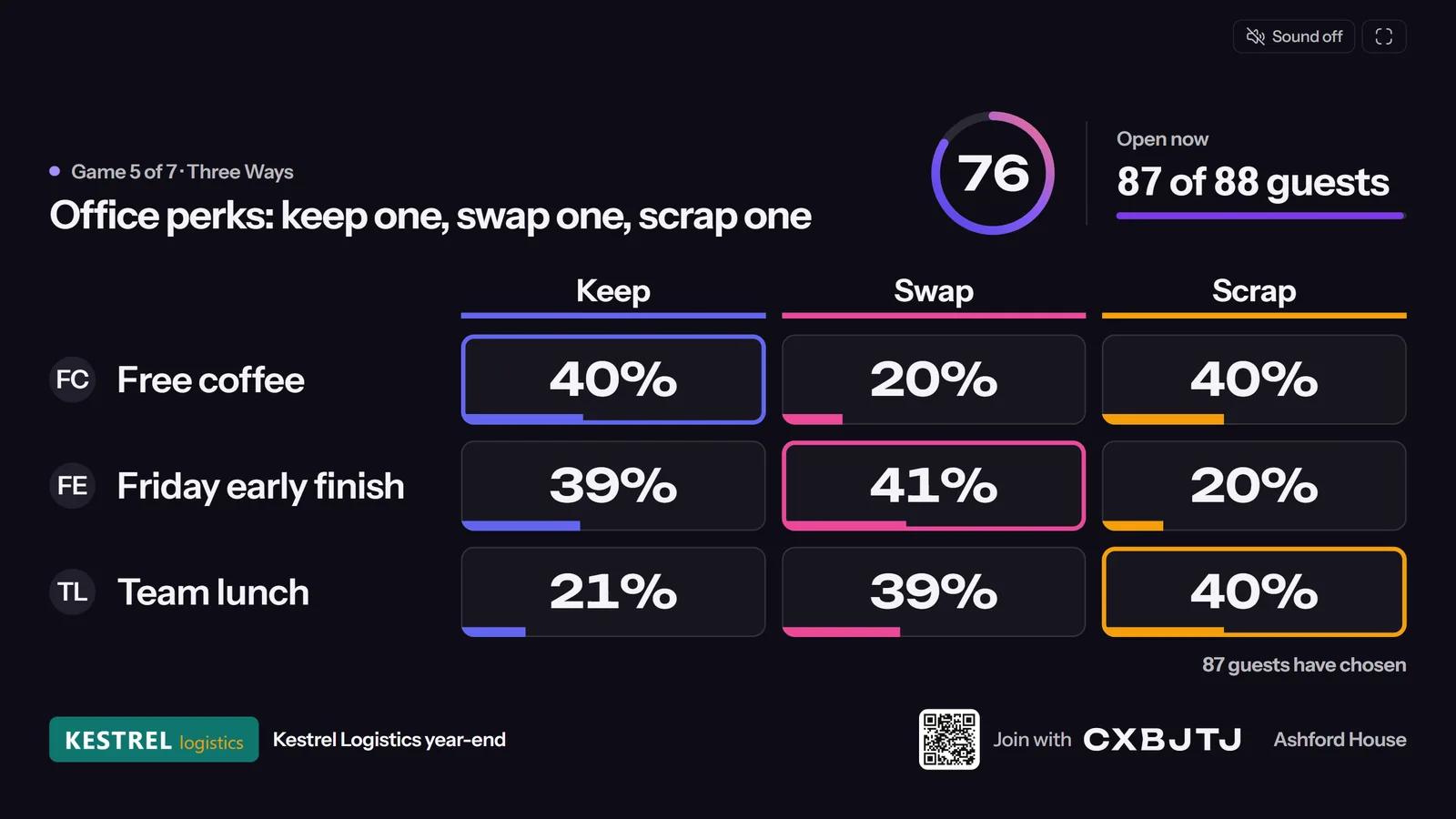
    The room’s answers fill a grid as they arrive. The MC can spotlight one table’s split, which shows counts only, never who chose what. A guest’s name appears with their answer only if they turned that on.

    Run by the MC

    The big screen during Three Ways: office perks, with the room’s keep, swap and scrap votes filling a grid.
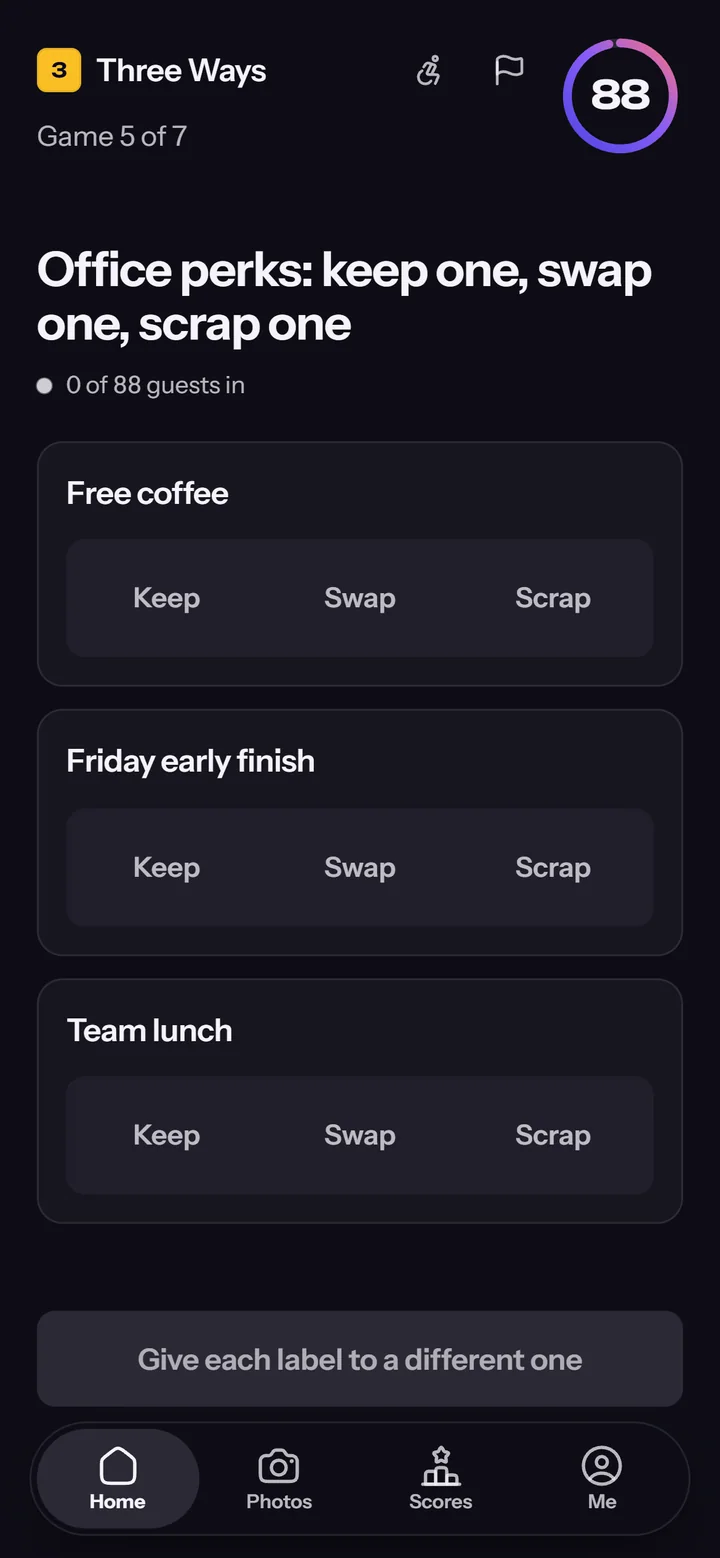
    A guest’s phone during Three Ways, giving keep, swap and scrap to three office perks.
    The room’s keep, swap and scrap votes, and a guest giving out the labels.
  8. 20:30Live Band Bingo

    The band plays, the room marks its cards

    The producer picks each song the band plays. Guests mark it on their card, and a full card waits on the producer’s desk until the producer confirms who shouted first.

    Run by the producer and the band

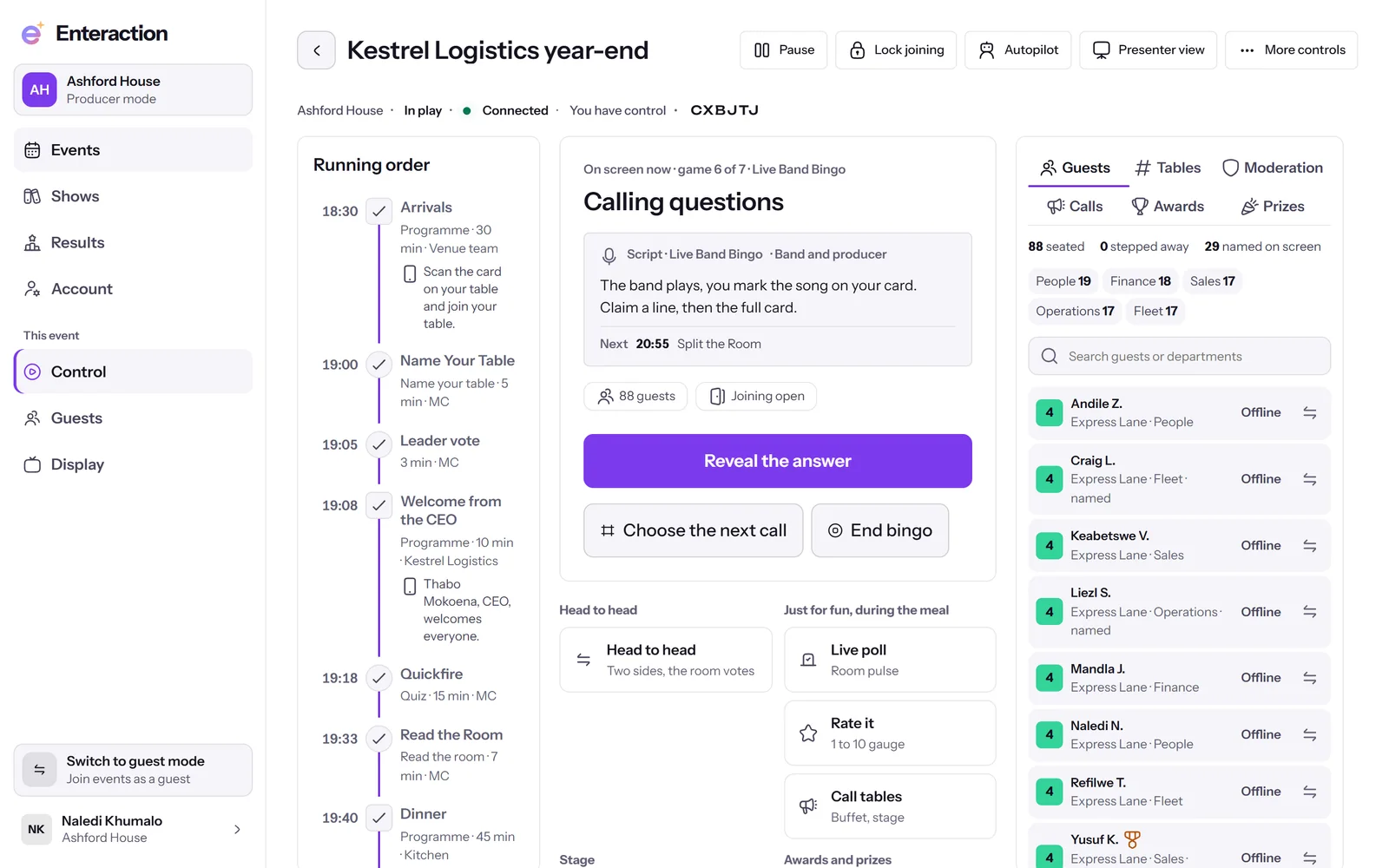
    The producer’s desk on a laptop during Live Band Bingo, with the next call to choose and the guest list.
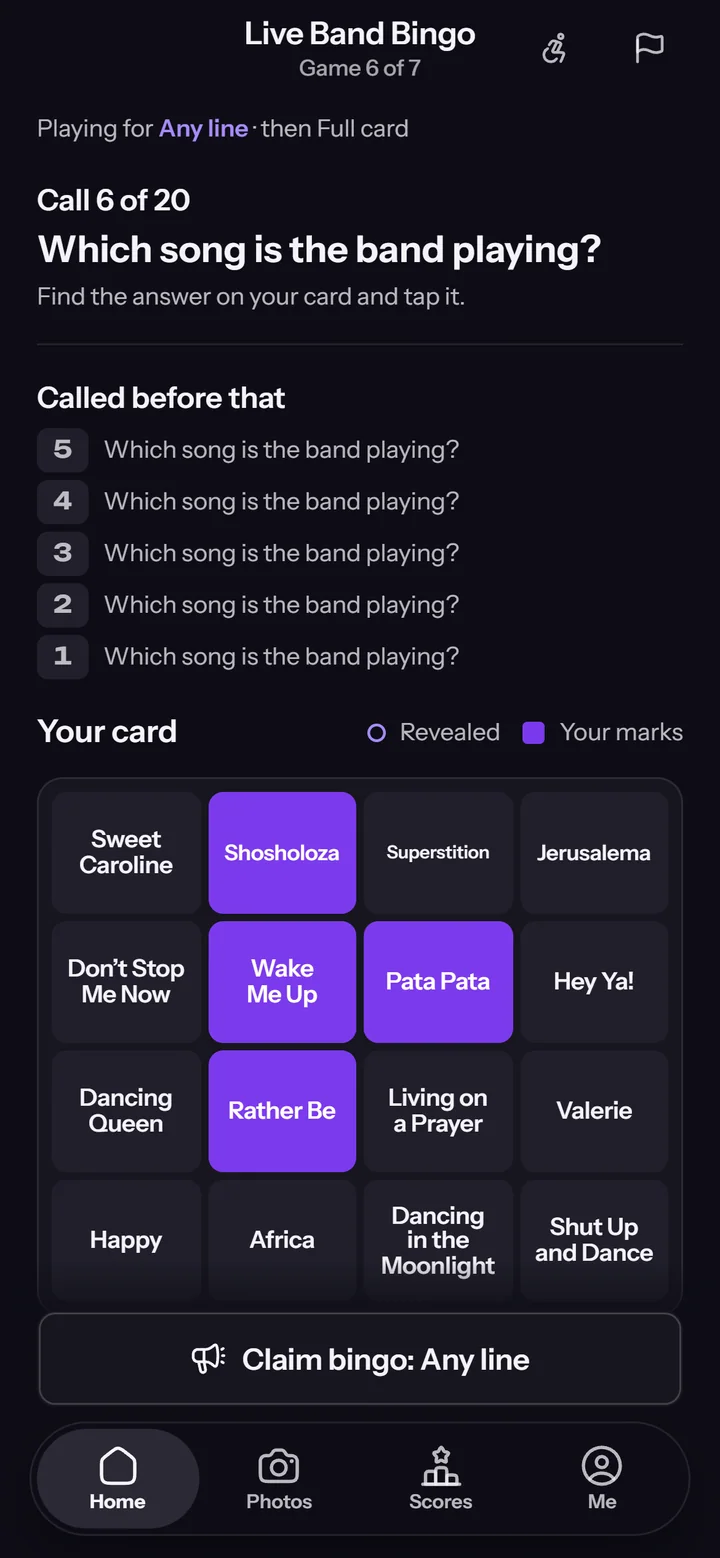
    A guest’s phone during Live Band Bingo: the calls so far and their card of song titles, with the songs they’ve marked.
    The producer choosing the next call, and a guest’s card with the songs they’ve marked.
  9. 20:55Split the Room

    Finalists for the stage, chosen by the room

    Everyone picks a side and one side goes out each time, until two are left for the cup-stacking final.

    Run by the MC

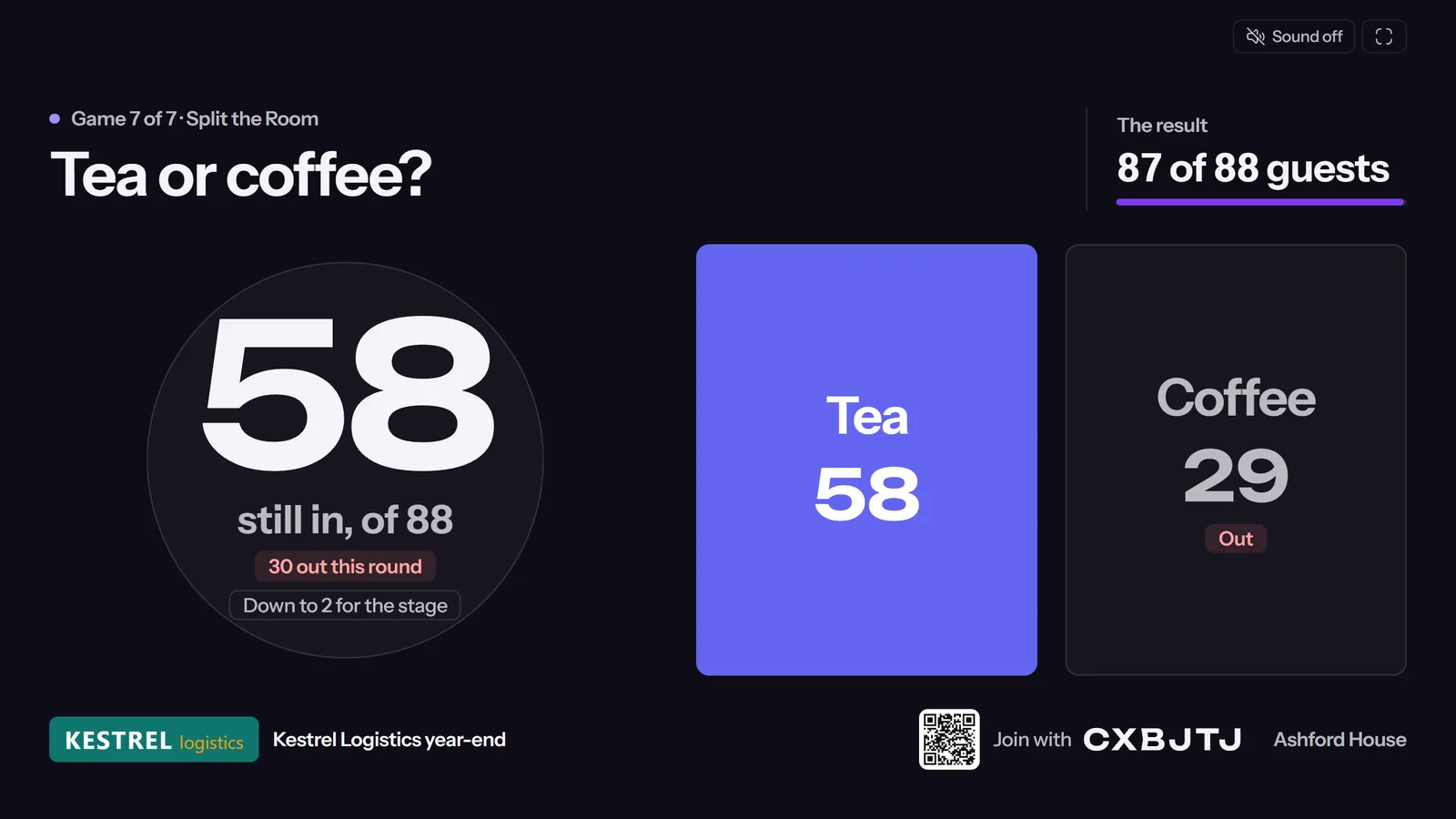
    The big screen during Split the Room: 58 of 88 guests still in after tea or coffee, on the way down to two for the stage.
    After the first question: 58 of 88 guests still in.
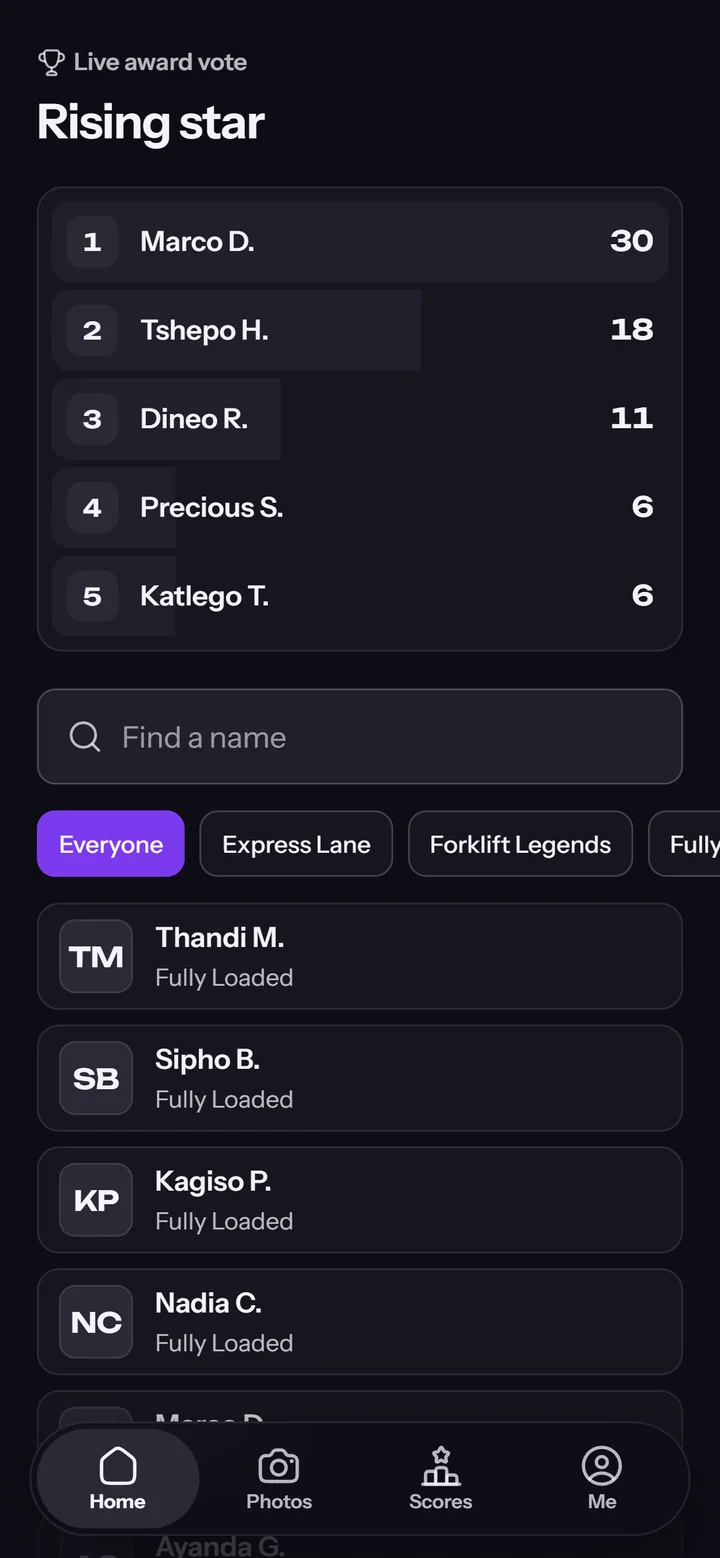
  10. 21:05Awards

    Awards, prizes and certificates

    Run a live award vote, give awards that were decided beforehand, and hand out the prizes in your prize plan. Each award is announced on the big screen once and recorded once.

    Certificates print from the admin with the client’s logo, the award and the winner’s name.

    Run by the MC and the producer

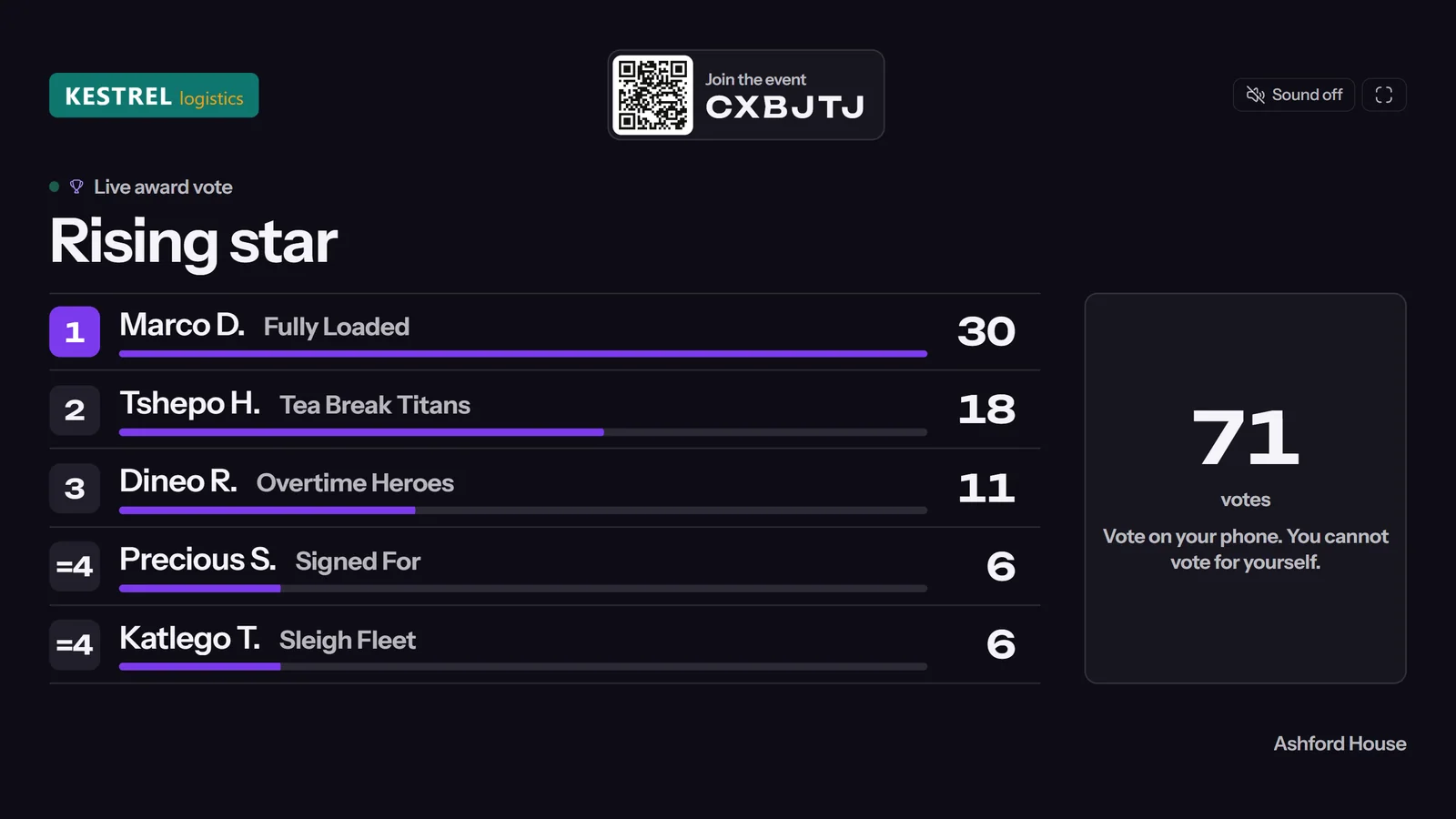
    The big screen during a live award vote for Rising star, with the leading names racing.
    A guest’s phone voting in the live award vote for Rising star.
    The Rising star vote on the big screen, and a guest voting.

Afterwards

Certificates and results

The table board and the players’ board are final, and the show is ready to reuse for the next client.

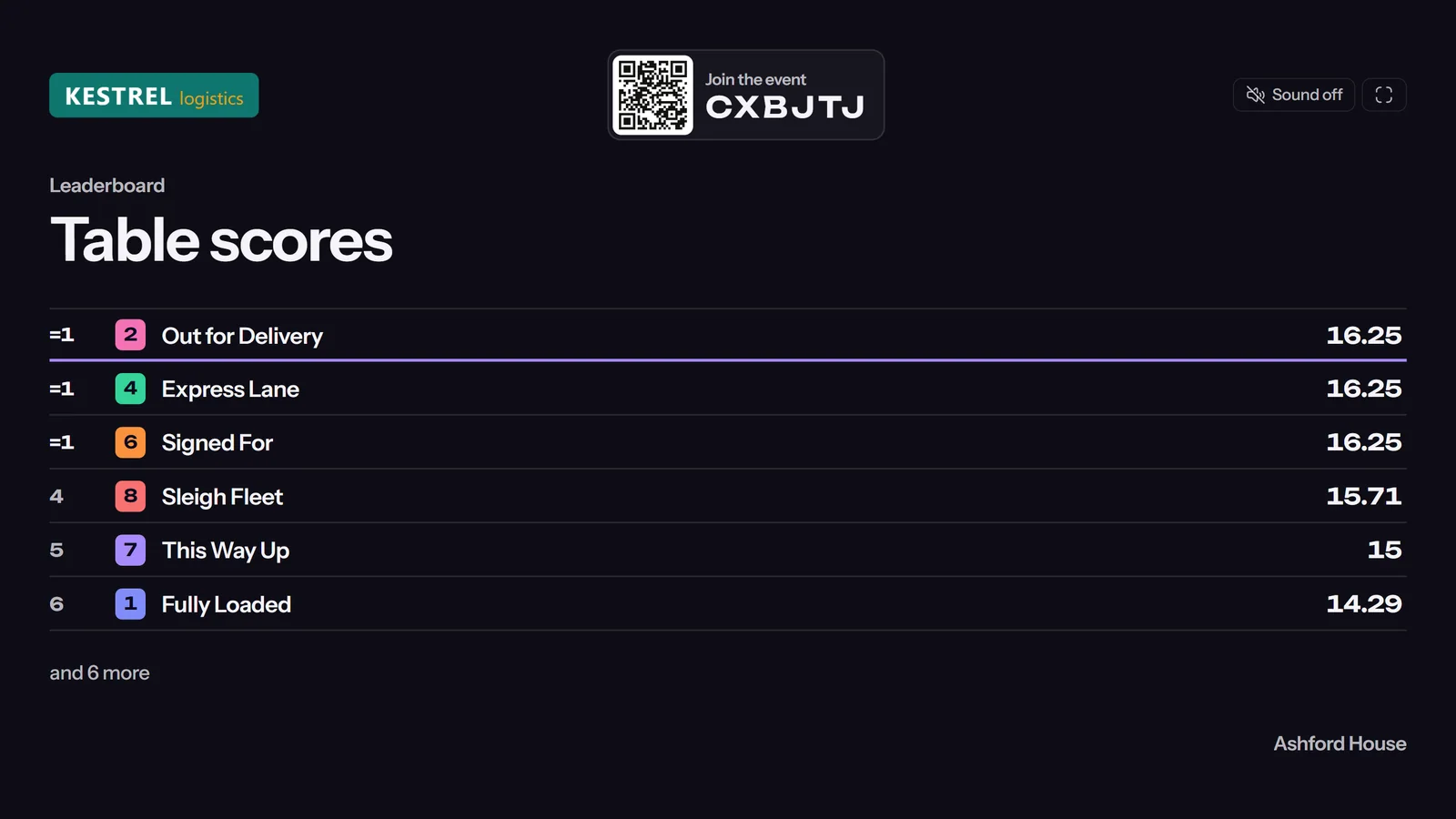
  1. The boards

    The table board and the players’ board can go on the big screen at any point in the event, and they’re final at the close. Both, with every poll and vote and its counts, stay in the admin and can be exported.

    The table board on the big screen: every table with its name, colour and points.
    The table board on the big screen after Quickfire.
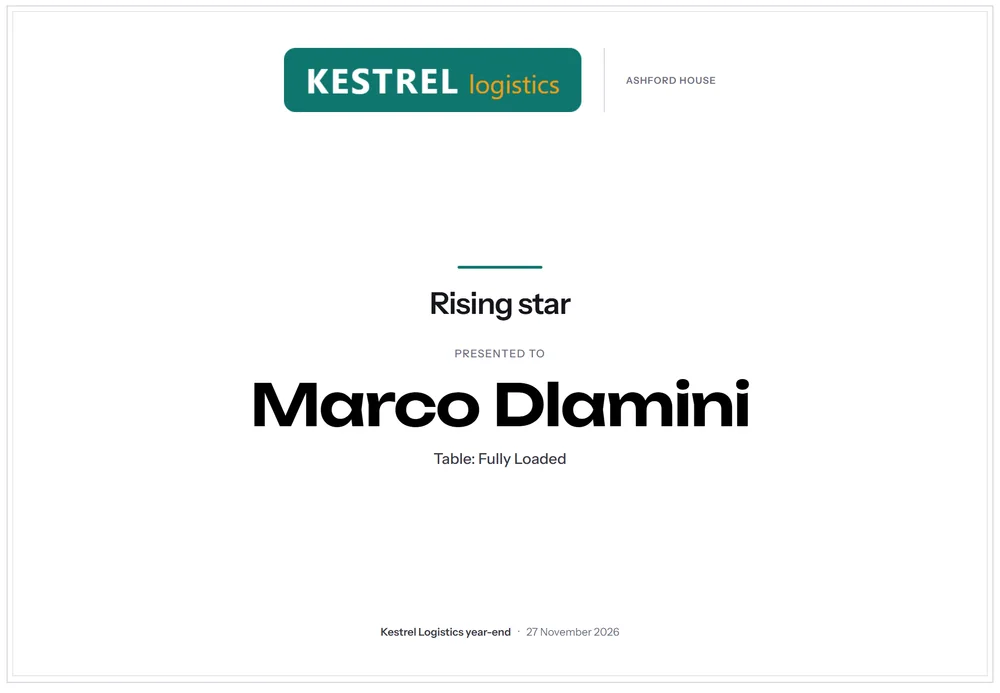
  2. Print the certificates

    Every award given at the event prints as a certificate with the client’s logo, the award and the winner. You can correct the name on a certificate before printing.

    A printed award certificate in the client’s colours.
    The Rising star certificate.

Questions about the event

Is it only for year-end functions?
No. The year-end on this page is one example. Conferences, team builds, product launches, sales kick-offs, awards evenings and client events run the same way, with the games that suit them.
What does a guest need?
A phone with a camera and a browser. No app and no account. They give their name, and an email address only if they want something sent to them, like the event’s photos.
What if a guest has no phone, or it dies?
They play along with their table, and every game has a fallback the MC can run without phones.
Can guests chat or post anything they like?
No. There’s no chat, and anything a guest types, from captions to song requests, is screened before it can reach the big screen, and the producer can hold each one for approval.
Can a guest step out for a while?
Yes. They tap “Stepping out?” on their phone, and their table’s score isn’t affected while they’re away. They rejoin from the next question.
What happens if the producer’s laptop dies?
The game is on the server, so it carries on where it was. The producer signs in on another device, or another producer takes control, and carries on.
Can the client have the results?
Both boards, every poll and vote with its counts, and the awards are in the admin and can be exported. A branded recap for the client is coming.

Who runs it, and what you need in the room

See it on an event like yours

Tell us about the events you run or are planning. We’ll show you one from the producer’s laptop, the big screen and a guest’s phone, and send you a quote.