
For venues
Add games to the corporate events you sell
For function venues and hotels with a corporate events business. Sell Enteraction as part of the package, and run it with your own team, or we send ours.
Why venues add it to their packages
- It’s easy to quote
- Games are one line on a corporate event quote, licensed per event the way you already sell events.
- It fills the gaps in a programme
- Arrivals, the wait for a meal, the break between sessions and the slot before the awards are where an event goes quiet. A running order puts a game in each one.
- It looks like the client’s event
- Their logo and colours are on the big screen, the phones, the table cards and the certificates, next to your venue’s name.
- You build a show once
- Keep the running order and reuse it for the next company. Swap the client, the company questions and the table names, and print new cards.
What you get, and what your client gets
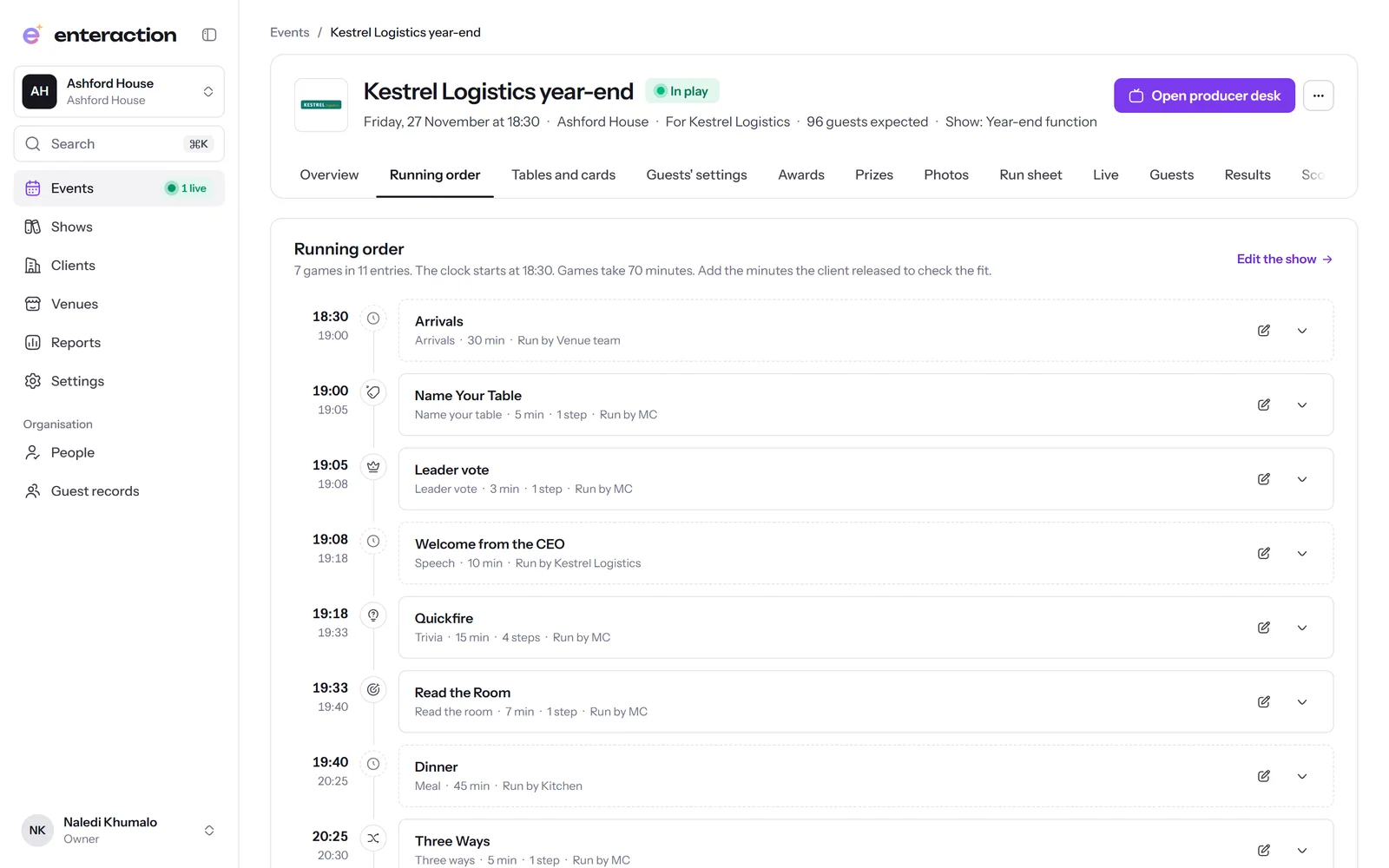
Your venue
- An events calendar
- Every event you’re hosting, with its client, guests, tables and how ready it is.
- Running orders on the clock
- Games, dinner, speeches and the band in one list, with minutes, who runs each item and a fallback.
- Table cards to print
- One card per table, with its QR code, its four-character code and the Wi-Fi details.
- A rehearsal copy
- Duplicate an event as a rehearsal to try it on the real screens. Rehearsals don’t count as events.
- Results afterwards
- Both boards, every poll and vote with its counts, and the awards, in the admin and as an export.
Your client
- Their brand
- Logo and colours on every screen and on the printed cards and certificates.
- Their own content
- Company trivia, quotes from the CEO for Boss or Celebrity?, polls about the business or the year and the awards they want to give.
- A tone they’re comfortable with
- Clean, cheeky or bold, agreed before the event. Everything a guest types is screened, and the producer can approve each one by hand.
- Awards and certificates
- Fun awards and staff awards, voted live or decided beforehand, printed with their logo.
Coming A link for the client’s organiser to send their logo and questions and sign off the content, and a branded recap of the event for them to keep.
Who runs it on the day
Two people run the games: a producer at a laptop and the MC. Neither needs to be technical.
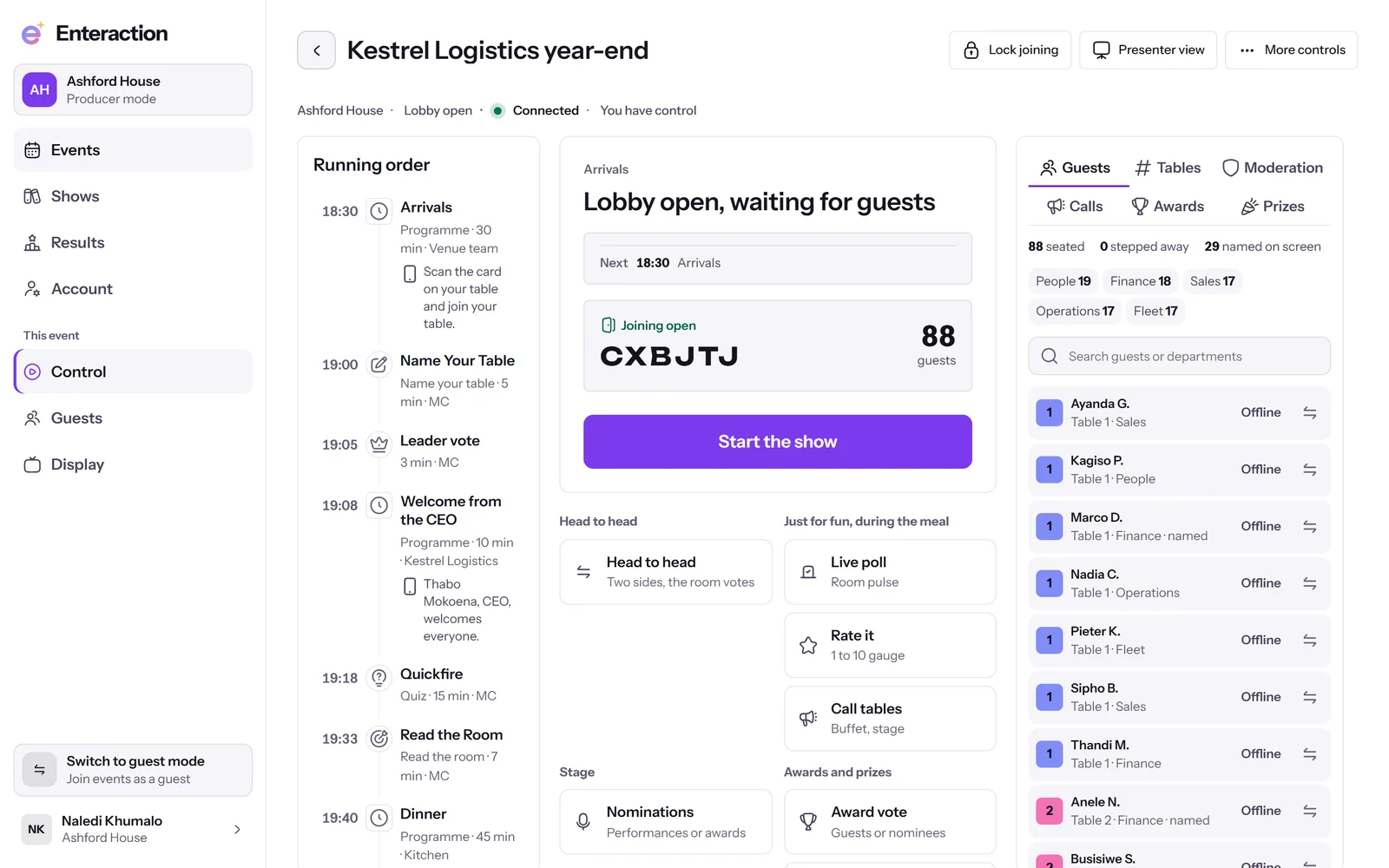
- ProducerSomeone on your team, or an operator you hire
- Runs the event from a laptop: what’s on the big screen, what’s next, polls, draws, tables called to the buffet and the awards. Approves photos, and anything guests type when the event holds it for approval.
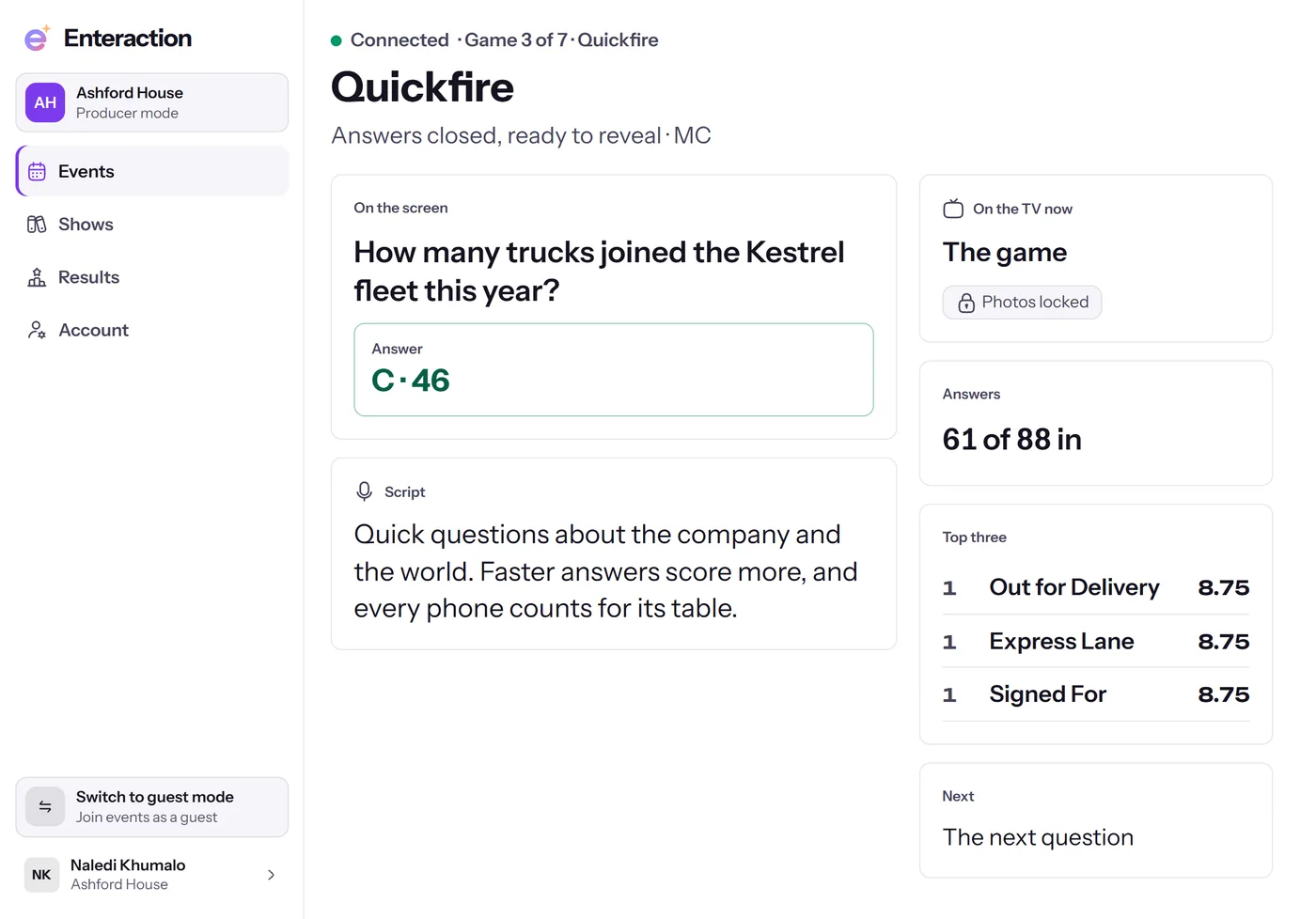
- MCYour MC, or the client’s
- Faces the room with the presenter view on a tablet or phone: the script, the answer, what’s next and the result to announce. Cues only what the producer allows.
- Room set-upWhoever sets the room
- Prints the table cards, opens play.enteraction.co.za/display on the projector and pairs it with the event.
- GuestsEveryone at the event
- Scan the card on their table and play on their own phone, for themselves and for their table.
What you need in the room
Nothing to install and no special hardware.
- A big screen
- A projector or a TV with a browser, or a laptop plugged into it.
- A laptop for the producer
- Any laptop with a current browser. The MC can use a tablet or a phone.
- Internet for the guests
- The venue’s guest Wi-Fi or their own mobile data. The Wi-Fi name and password can go on the big screen and the table cards.
- Printed table cards
- Printed from the admin on ordinary paper, one per table.
Questions venues ask
- How many guests can play?
- Enteraction is designed for events of 20 to 500 guests seated at tables of six to twelve. Tell us your numbers and we’ll confirm the set-up.
- Do guests need an app or an account?
- No. Scanning the table card opens the game in the phone’s browser.
- What if a phone drops off the Wi-Fi?
- Answers are saved on the server. When the phone reconnects it picks up where the game is, at the same table.
- Can we run it without an MC?
- Yes. The producer can run an event alone. An MC makes it a better show.
- Can we try it before the client’s event?
- Duplicate the event as a rehearsal and run it on your own screens. Rehearsals don’t count as events.
See it on an event like yours
Tell us about the events you run or are planning. We’ll show you one from the producer’s laptop, the big screen and a guest’s phone, and send you a quote.